Vacation rental software features, from booking to books
One login. One bill. Unlimited users.
The property management system (PMS) for the owners, managers and service providers who run the cycle together. Sales and direct booking, reservations and direct channel connections, guest experience, field operations, owner reporting and accounting: every feature below lives on that cycle, not off to the side. Priced per property. No seat fees, no setup fee, no contract, and no booking fee on your direct site. See pricing.
Built for three audiences, working the same cycle together
Sales and direct bookingReservations and channelsGuest experienceField operationsOwner reportingAccountingback to sales
Property Owners
An owner portal with the statements, invoices, approvals and job history that come out of the same reservation and work-order data your manager runs on.
Property Managers
Run sales, reservations, guest experience, field operations, owner statements and trust accounting from one system.
Vacation Rental Service Providers
Cleaning, maintenance and field service — the same work orders, schedules and photo proof the rest of the cycle runs on.
A property manager's reservation, a cleaner's turnover and an owner's statement all come from the same record. No feature here ranks one job above another.
PMS & Channel Management
Your listings, rates, and reservations — the system of record, with direct distribution.
- Property inventory and listing management
- Reservation management — direct and OTA bookings created, modified, and cancelled in one place
- Rates & availability with direct channel distribution — a rate calendar, portfolio bulk edits and rule-based rate automation with a cleaning-cost floor
- Direct channel connections to Airbnb, Vrbo, Booking.com, Expedia, Google Vacation Rentals, and Hopper — all live
- Interactive master calendar — reservations, rates, availability, and task scheduling in one view
- Guest messaging in the unified inbox
- Review management — channel reviews in one queue, replies and host reviews, reviews on your site, ratings that set inspection frequency
- iCal import for long-tail listing sources
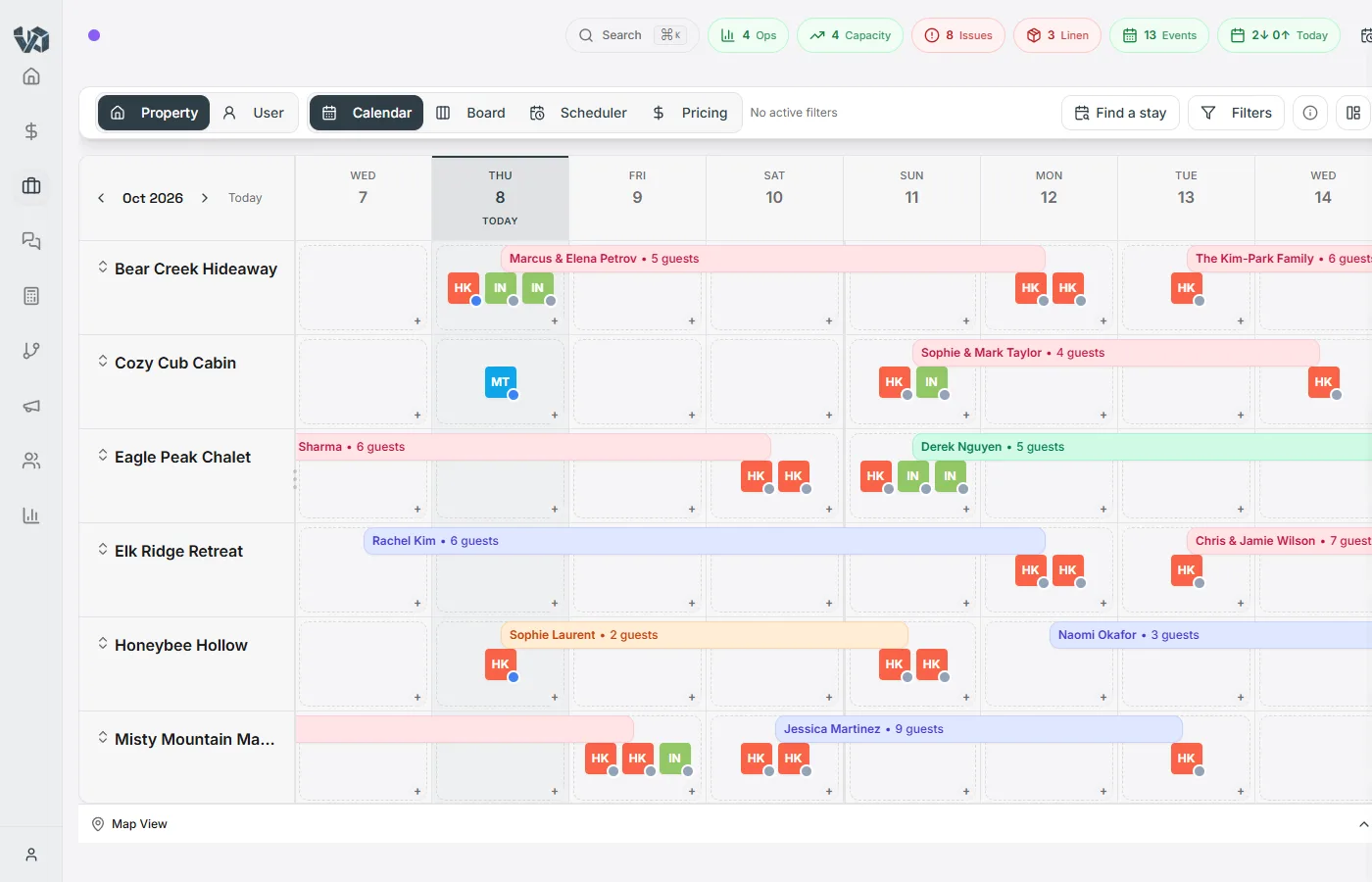
Command Center & Dashboard
Dashboards you build from the whole system — shared with the team, targeted to a role, or kept personal.
- Dashboard builder — any number of shared or personal dashboards per workspace, with a default per role
- 28 widgets: the AI daily operational briefing, coaching insights, Ask Gina, KPI tiles, trend charts, breakdowns, property health, today’s check-ins and turnovers, staffing load and more
- Custom number, list and chart widgets that query 12 data sources through a point-and-click builder with live preview
- Gina builds a dashboard from one sentence, adds widgets from chat, and writes the driver under any metric that moved
- Threshold alerts on KPI tiles, and a morning digest of a shared dashboard by email or Slack
- Interactive master calendar — reservations, rates, availability, and task scheduling in one view
- Notification center with configurable alert rules and multi-channel delivery
- Global full-text search across properties, tasks, contacts, reservations, and more
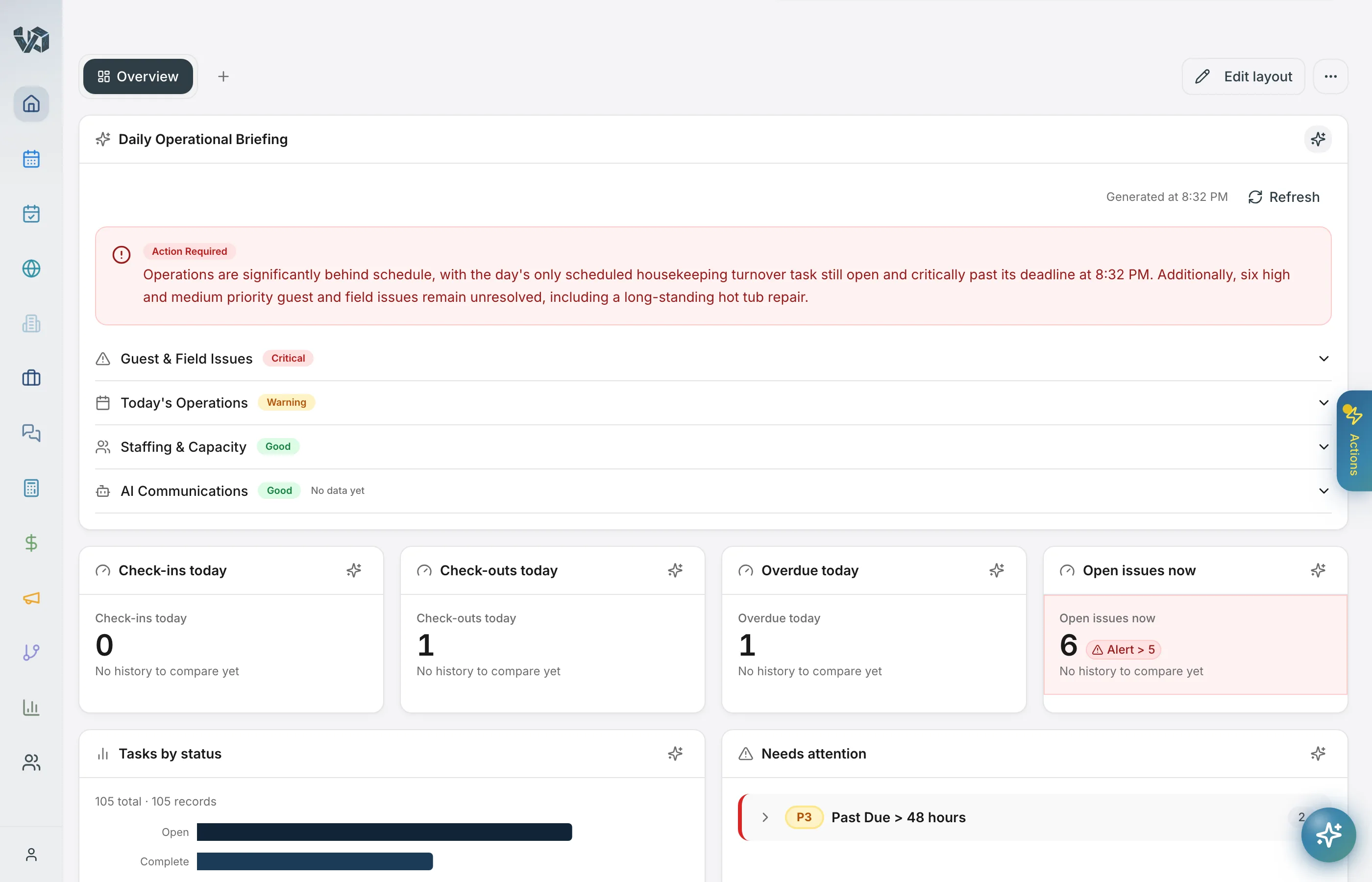
Operations & Task Management
Automate the repetitive. Focus on what matters.
- Task creation, assignment, and tracking with photo checklists
- Automated housekeeping scheduling from reservation data
- Recurring task engine with flexible scheduling rules
- Piggyback task bundling — small tasks automatically attach to existing property visits
- Time tracking with clock in/out and pause reasons per task
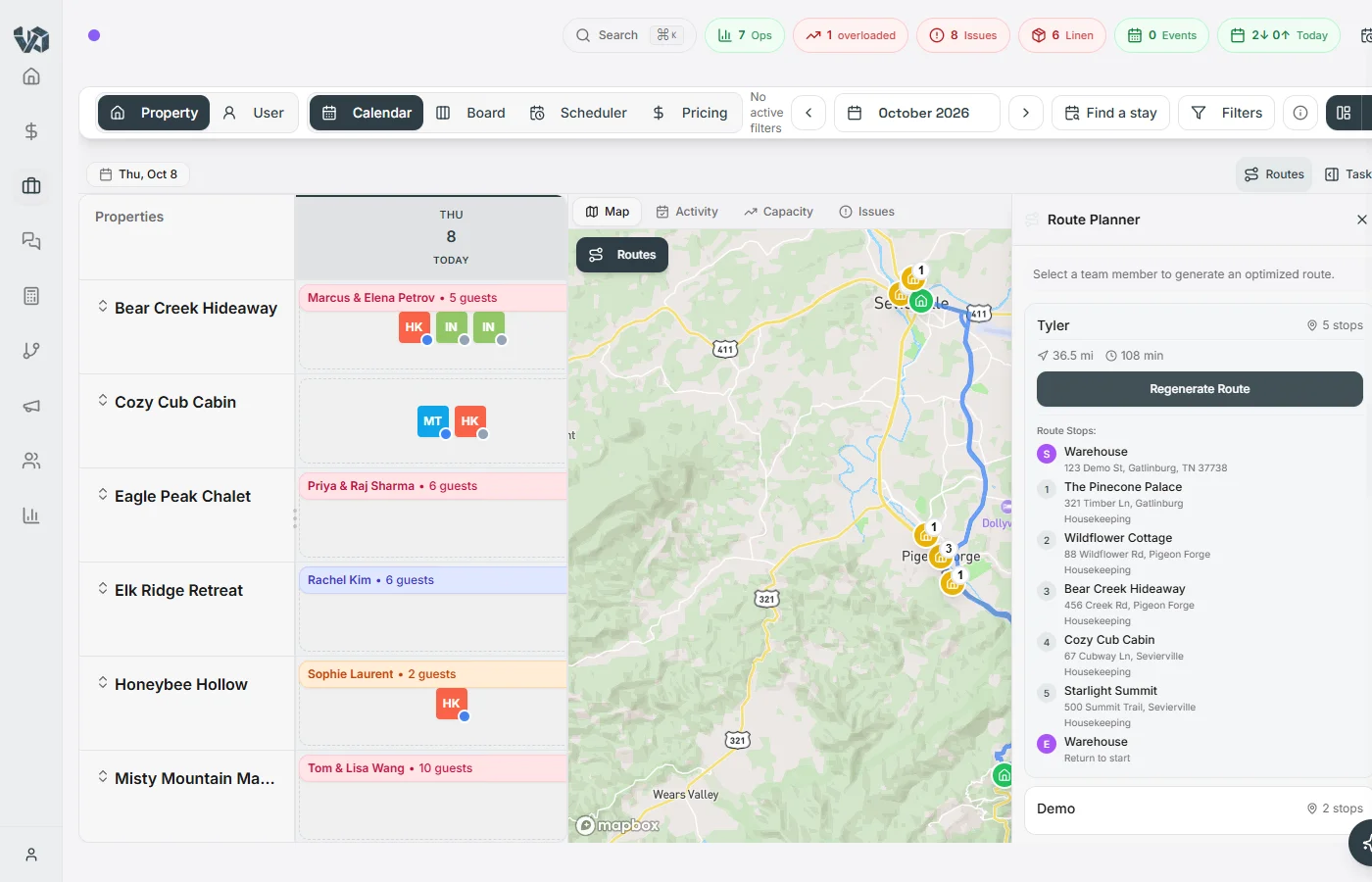
- Route optimization with priority rules — overdue turnovers first — real drive times, and one-tap handoff to Apple or Google Maps
- Live field maps: day and multi-day views with status-colored property pins, a warehouse home base, and mid-route GPS re-optimization
- Inspection scheduling with AI-driven frequency tiers and property health scoring
- Linen packing workflows with per-item counts, amenity tracking, and missing-item reporting
- Vendor and contractor management with performance tracking
- Custom task types, statuses, and priority levels per tenant
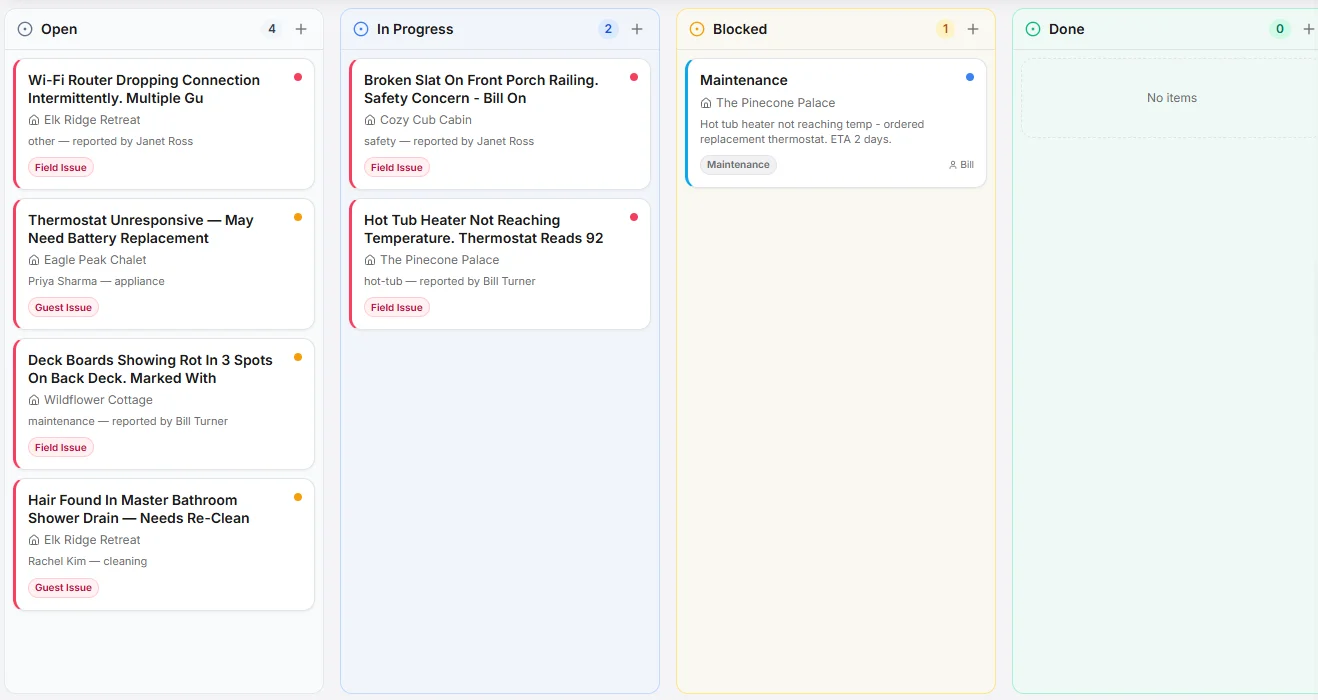
Forms, Checklists & Inspections
Upload the county’s PDF. Get a working form.
- AI rebuilds a form from a PDF, Word file or photo of the paper form (up to 10 MB) — Pass/Fail/N/A dropdowns, photo evidence, sections and citations kept
- Describe a form in a sentence and the AI drafts it; describe a change and it adjusts the form you have
- Drag-and-drop builder with 15 field types, one-click presets, tables, ratings and photo fields with minimum counts
- Conditional fields and sections with and/or rules; blocks that repeat per bedroom or bathroom
- Forms attach to task types and ride on every scheduled clean, inspection and repair; the task cannot close until the form is in
- Any answer can create a task; "Form submitted" and "Form answer matches" are workflow triggers
- Public links with expiry, email capture, captcha and notifications; single-use tokenized links by the batch; form links in automation emails
- Responses with source filter, share-link status and an activity log; PDF export with photos; CSV export
- Spanish labels for Spanish-speaking staff; photos queue offline on the phone and upload when it reconnects
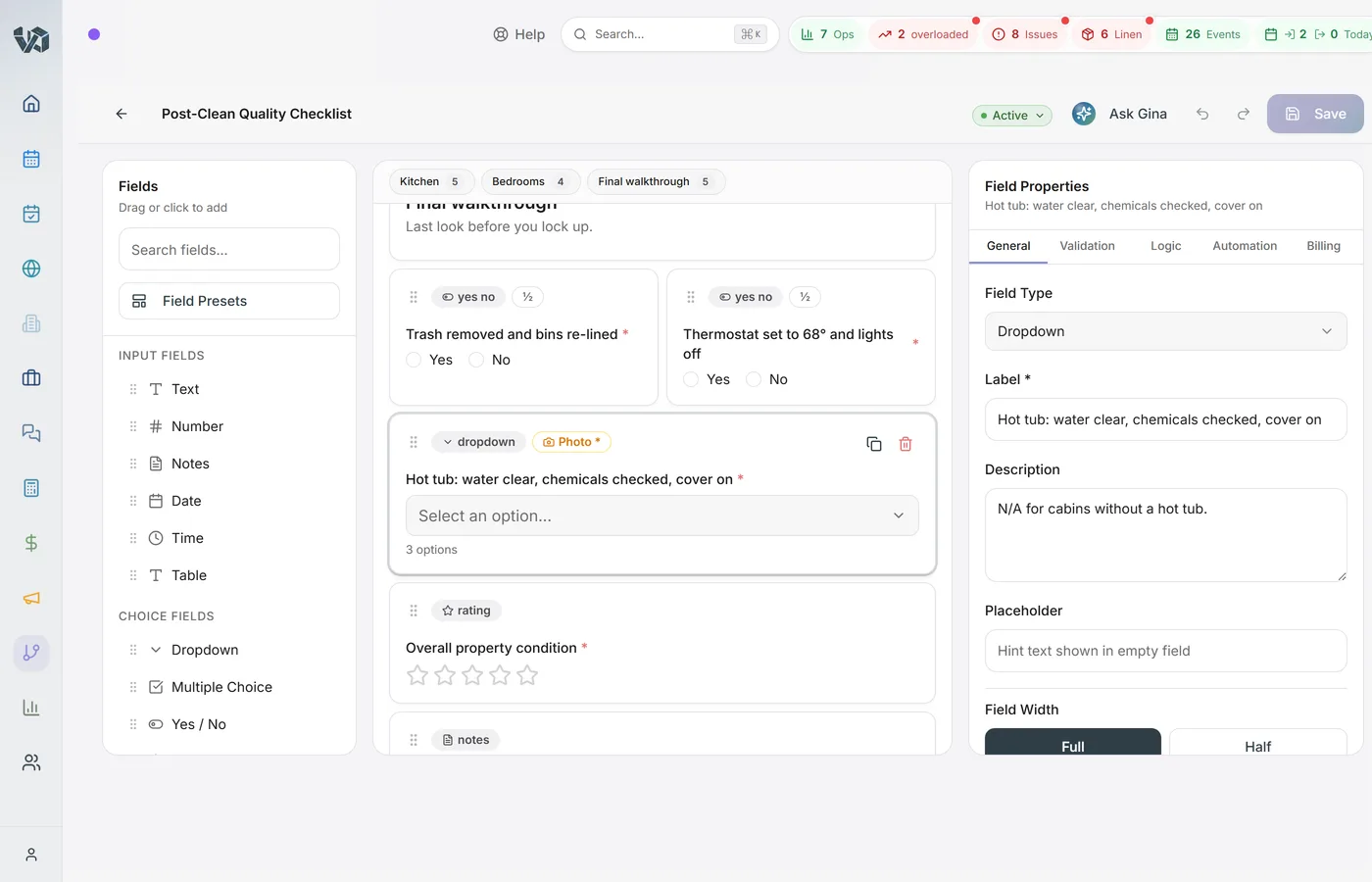
Routing & Field Maps
Turnover-first route optimization, built in.
- One tap builds each crew's day into an optimized multi-stop route, starting from your warehouse or home base
- Priority rules you control — overdue turnovers first, then turnovers, then overdue tasks; reorder or add rules per company
- Real drive times and distances from live road data, with the route drawn on the map
- Day and multi-day field maps with status-colored property pins for dispatch
- One-tap navigation handoff to Apple or Google Maps with every stop as a waypoint
- Mid-route GPS re-optimization — completed stops drop off and the rest of the day re-sequences from where the crew is
- Routing math feeds staffing forecasts, so labor planning includes drive time
AI Assistant & Intelligence
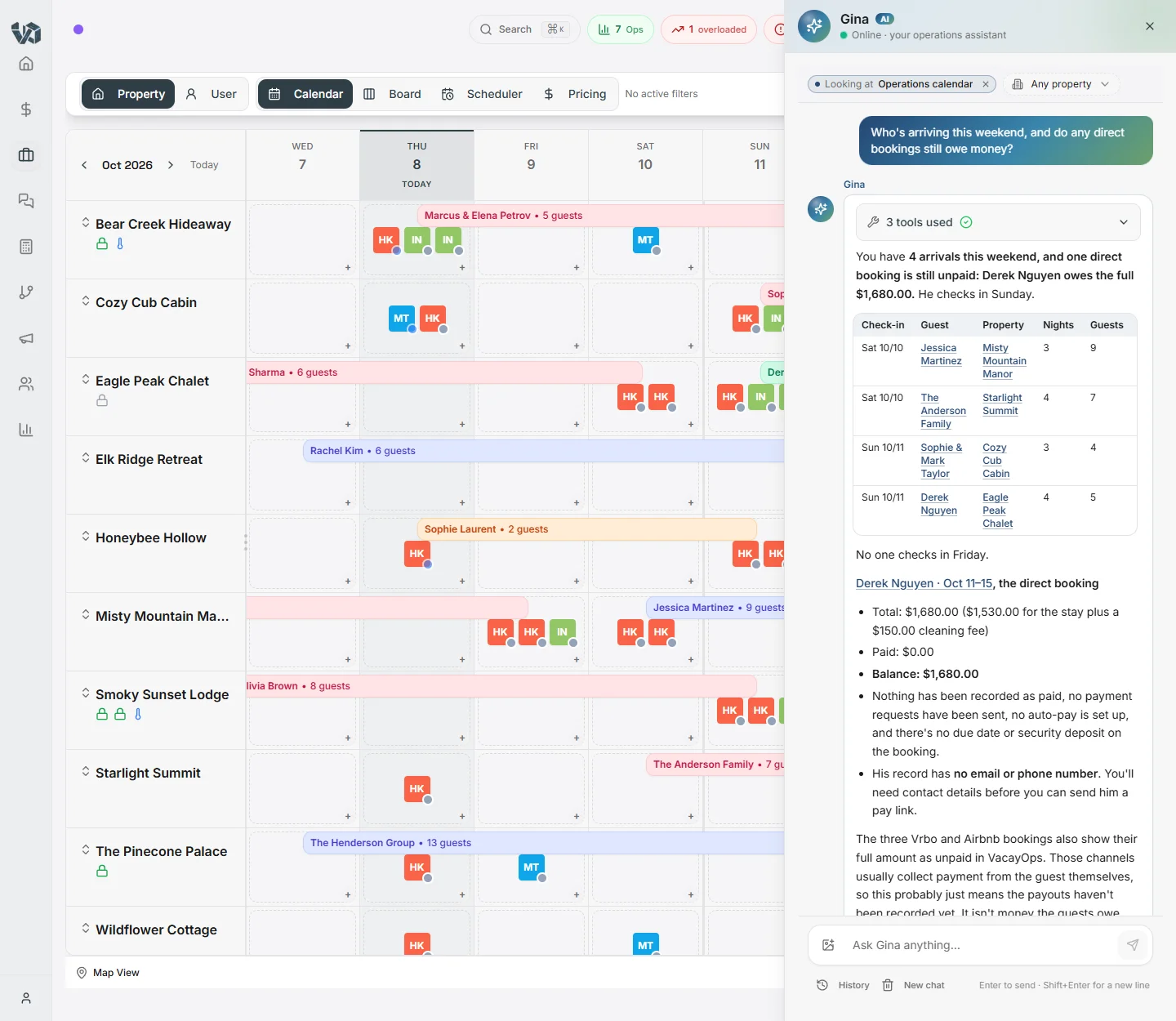
Your AI-powered Director of Operations — available to every admin and support user.
- Conversational AI Assistant with multi-turn chat and session history
- Property-aware context — ask about any property, reservation, or guest
- AI tool calling: create tasks, look up vendors, search conversations, and more
- Image analysis — upload and analyze property photos on the fly
- AI property health scoring across 8+ dimensions
- AI auto-response for guest messages with confidence scoring, safety filters, and continuous learning
- Daily briefing generation with time-aware severity levels
- Cost intelligence with margin analysis and action recommendations
- AI voice assistants on VoIP calls with reservation lookup and task creation
- Guest issue auto-detection from conversations with sentiment analysis
Director Coaching & Insights
AI-powered strategic coaching for your leadership team.
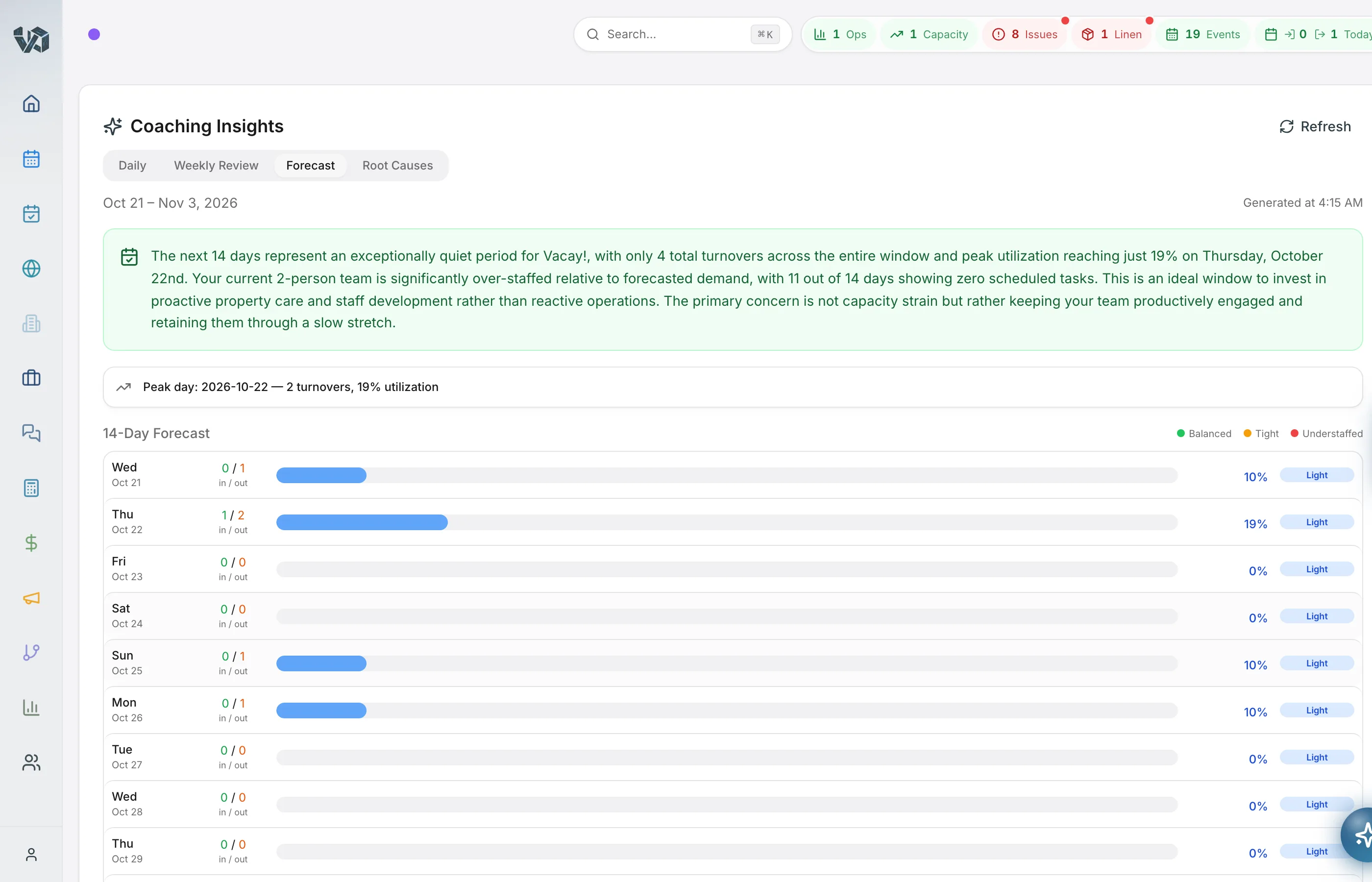
- Daily Director Coaching Report with trend analysis and recommendations
- Weekly operational review with key takeaways
- AI staffing forecast based on projected cleaning demand
- Root cause analysis for recurring operational issues
- Operations journal for tracking decisions and outcomes
- Financial anomaly detection — revenue cliffs, cost spikes, margin erosion alerts
- Cleaning fee competitiveness scoring and optimization recommendations
Communications
Every channel. One inbox.
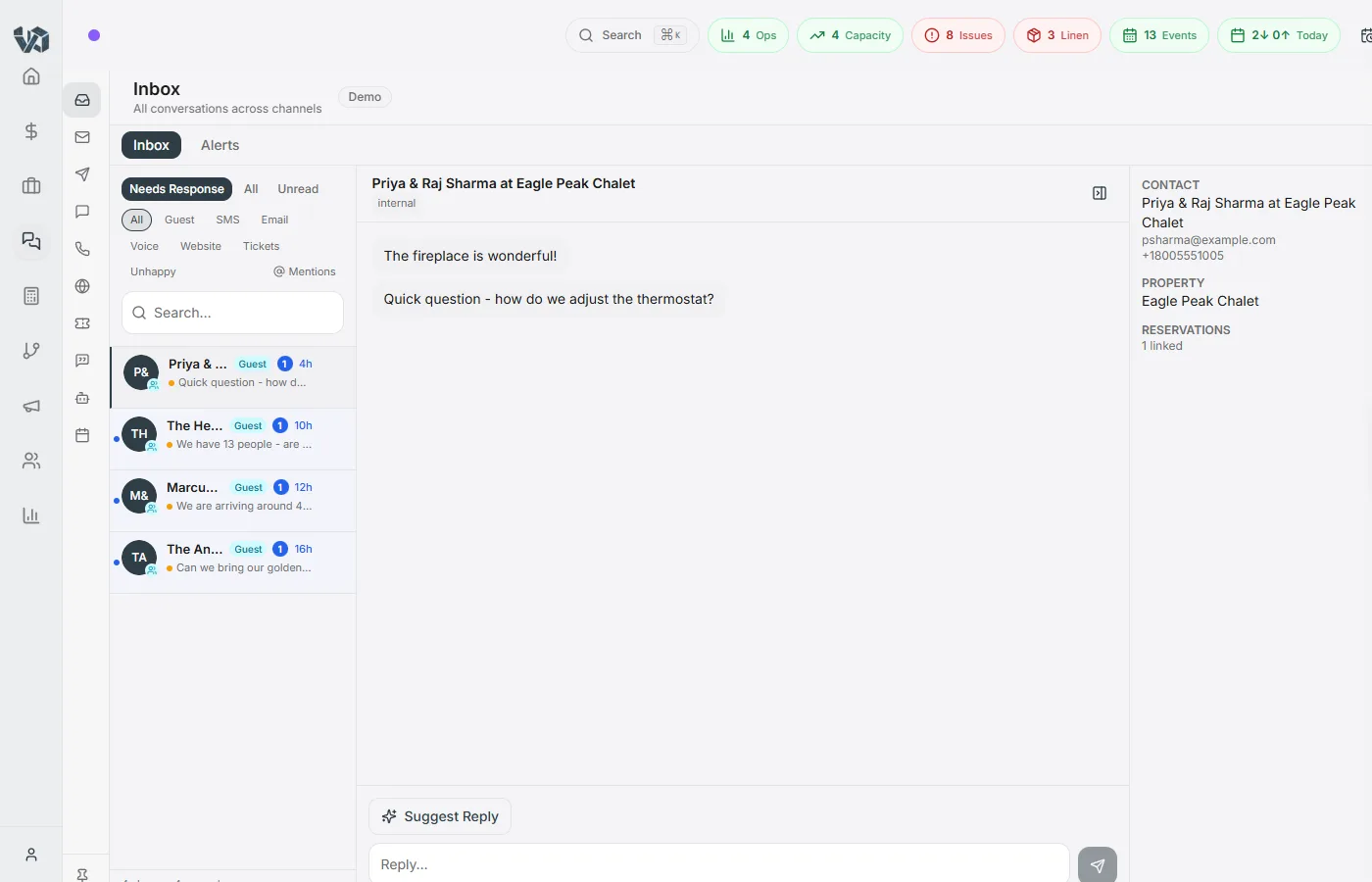
- Unified multi-channel inbox (SMS, email, voice, WhatsApp, website chat)
- Slack, Microsoft Teams, and Google Chat integrations
- AI-powered guest issue detection and automatic routing
- AI-drafted response suggestions with one-click send
- Internal team messaging with channels, threads, and direct messages
- Direct OTA guest messaging in the unified inbox
- Multi-transport fallback for delivery reliability
- Thread-level conversation management with assignment and labels
- Email-to-ticket conversion for support workflows
VoIP & Phone System
A full business phone system, built in — Full Platform and Operations Only, lines $7/line/month.
- WebRTC softphone — make and receive calls from your browser
- Inbound and outbound VoIP calling with call recording
- Configurable call trees and IVR routing
- AI voice assistants on calls with reservation lookup and task creation
- Phone number search, purchase, and per-market assignment
- Number porting with LOA document management and status tracking
- SMS and WhatsApp from your business number
- E911 address management and 10DLC compliance
- Voicemail with custom greeting generation
What time is check-in? We are arriving early and...
SMSIs there a way to adjust the thermostat? It seems...
AirbnbThank you so much! The house was absolutely...
EmailCan we get extra towels dropped off tomorrow...
VrboHey, the hot tub cover seems stuck. Any tips on...
SMSUnit 7 turnover completed, photos uploaded to...
SlackHi! We are arriving around 2pm today. Is there any way we can check in a little early? Also, is the hot tub ready to use?
1:42 PMHey Sarah! Early check-in at 2pm should be fine — the cleaning crew wraps up by 1:30. The hot tub is heated and ready for you. Code for the door is in your welcome guide.
1:45 PM · DeliveredPerfect, thank you! One more thing — do you have any restaurant recommendations nearby for dinner tonight?
1:52 PMAbsolutely! There's The Smokehouse (5 min drive, amazing BBQ), River Bend Grill (waterfront dining, 10 min), and Flour & Fire pizza right in town. All are walkable from the house!
1:58 PM · DeliveredFinancial Management
From the booking to the books — included in the subscription, no add-on.
- Month close posts booking revenue per property and channel — counted at check-in, check-out or night by night
- Every fee, owner share and channel commission mapped to your own ledger accounts; a new fee type is flagged for a decision, never silent
- Owner statements you review, then issue — a late change becomes an adjustment statement, never a rewrite
- Statement layouts frozen at issue, a PDF per statement, co-owner shares and mid-month owner changes
- Trust accounting (Full Platform): a separate trust account or one account, owner balances and a monthly three-way reconciliation your accountant can sign off
- Double-entry ledger — trial balance, P&L, balance sheet, cash flow, general ledger and tax reports
- Bank statements imported from any bank (CSV, OFX, QFX) or a US account linked through Stripe Financial Connections, with suggested matches
- Invoices, bills and estimates owners accept in their portal — one click converts to an invoice
- Read-only accountant API tokens, and 1099 files laid out for the IRS IRIS portal for you to review and upload
- Two-way QuickBooks sync, period close and lock, and per-property cost-to-serve
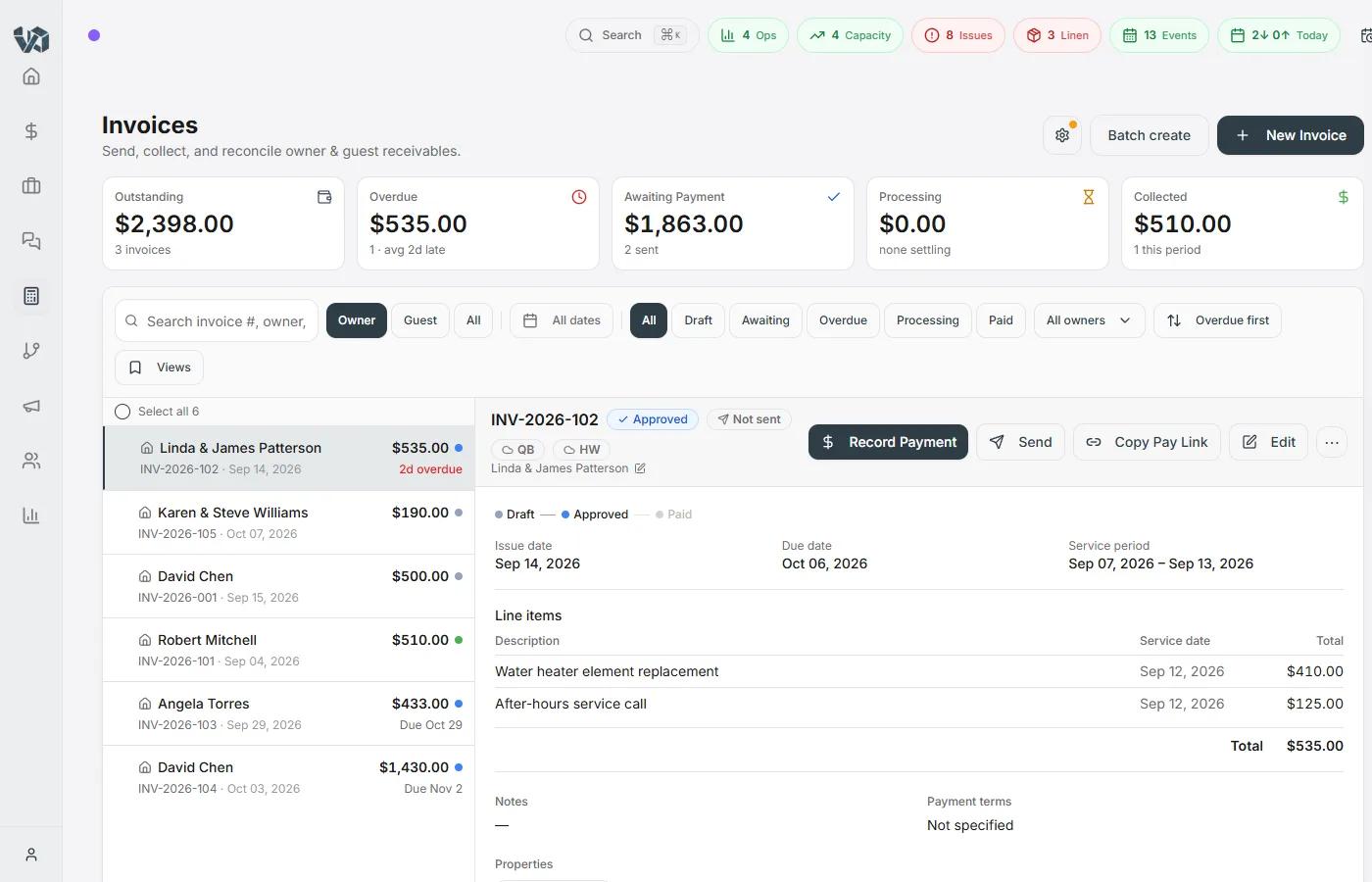
Sales & CRM
Grow your portfolio with a built-in pipeline.
- Sales pipeline with customizable stages and drag-and-drop
- Owner contact management with full communication history
- AI-powered revenue estimator for prospect properties
- New property onboarding pipeline and tracking
- Dynamic contact segmentation by stage, tags, and lead source
- Owner agreement templates with digital signature capture
- Multi-LLC support for owners with multiple entities
- Automated CRM workflows — stage changes trigger emails, tasks, and notifications
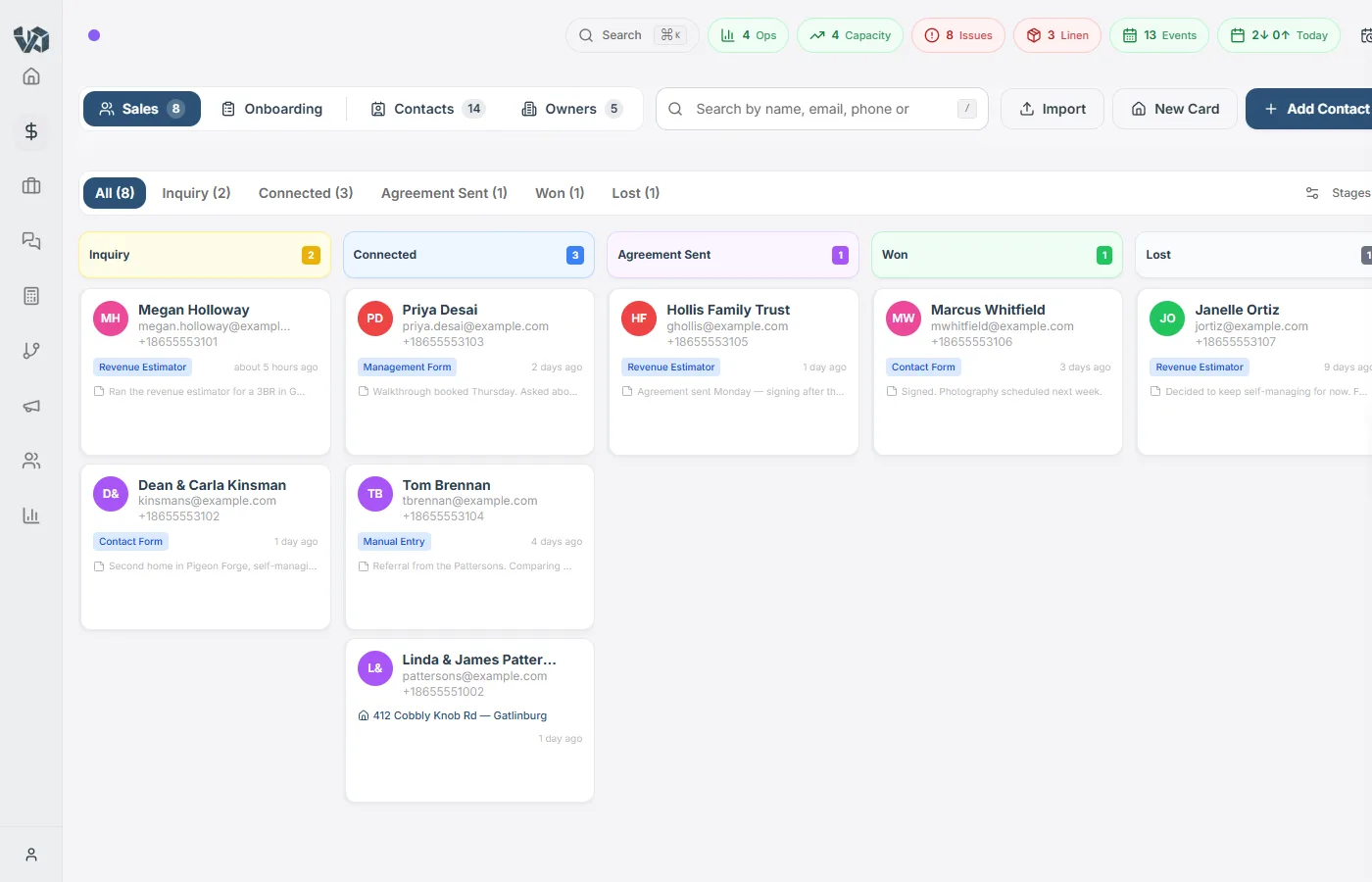
Automation & Workflows
Build it once. Let it run.
- No-code workflow builder with visual interface
- Triggers: form submissions, task lifecycle, CRM changes, schedules, reservation checkout
- Actions: email, SMS, task creation, status updates, notifications, gift cards, agreements
- Conditional branching with if/else logic and field-level operators
- Customizable email templates with dynamic variable substitution
- Email campaign management with audience segmentation
- Form submissions and single answers as triggers — a failed inspection item creates the work order
- Execution history with detailed logging and retry support
- Booking Boosters — early check-in, late checkout and gap-night offers sent in the guest’s existing thread; your team confirms the yes
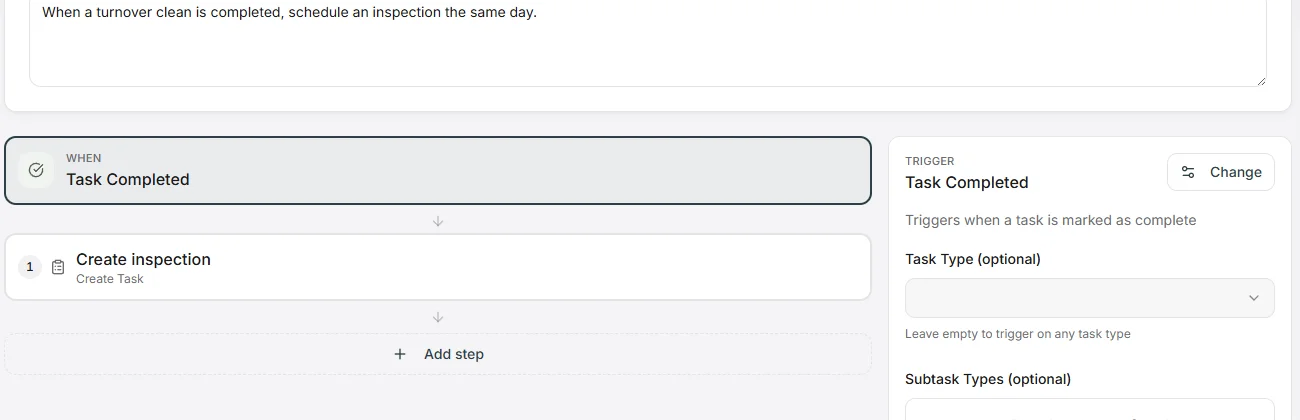
Reporting & Analytics
Portfolio-level insights at your fingertips.
- Cleaner performance reports with ratings by housekeeper
- Staffing forecast based on projected cleaning demand
- Property churn analysis with retention metrics
- Portfolio analytics with growth and health scoring
- Cleaning fee competitiveness scoring and optimization
- Year-over-year performance comparisons
- Guest origin mapping with geographic visualization
- Housekeeper territory reports with unit and rate details
- Cost-to-serve report — net operating margin per property
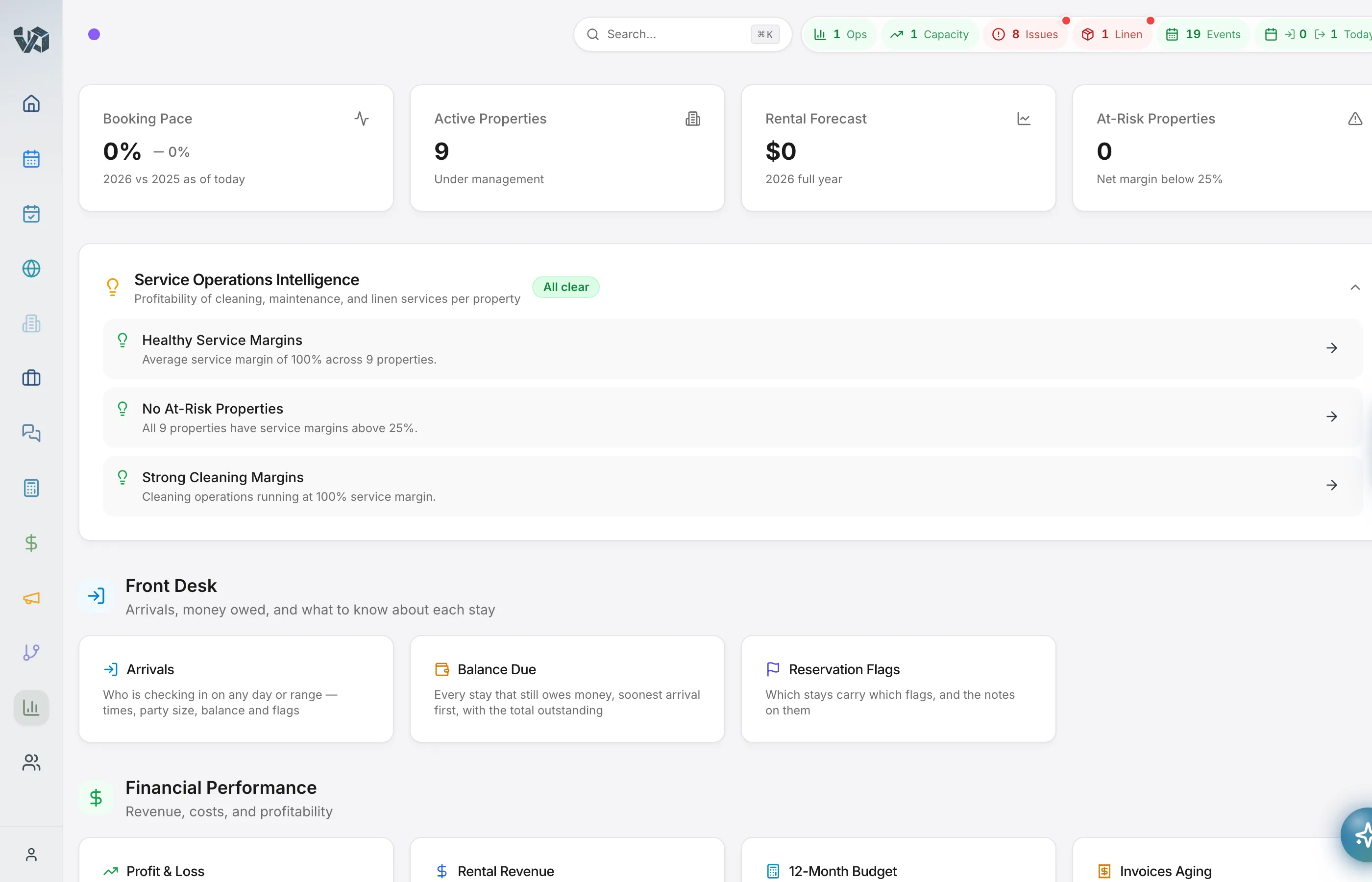
Owner & Guest Portals
Self-service experiences for owners and guests.
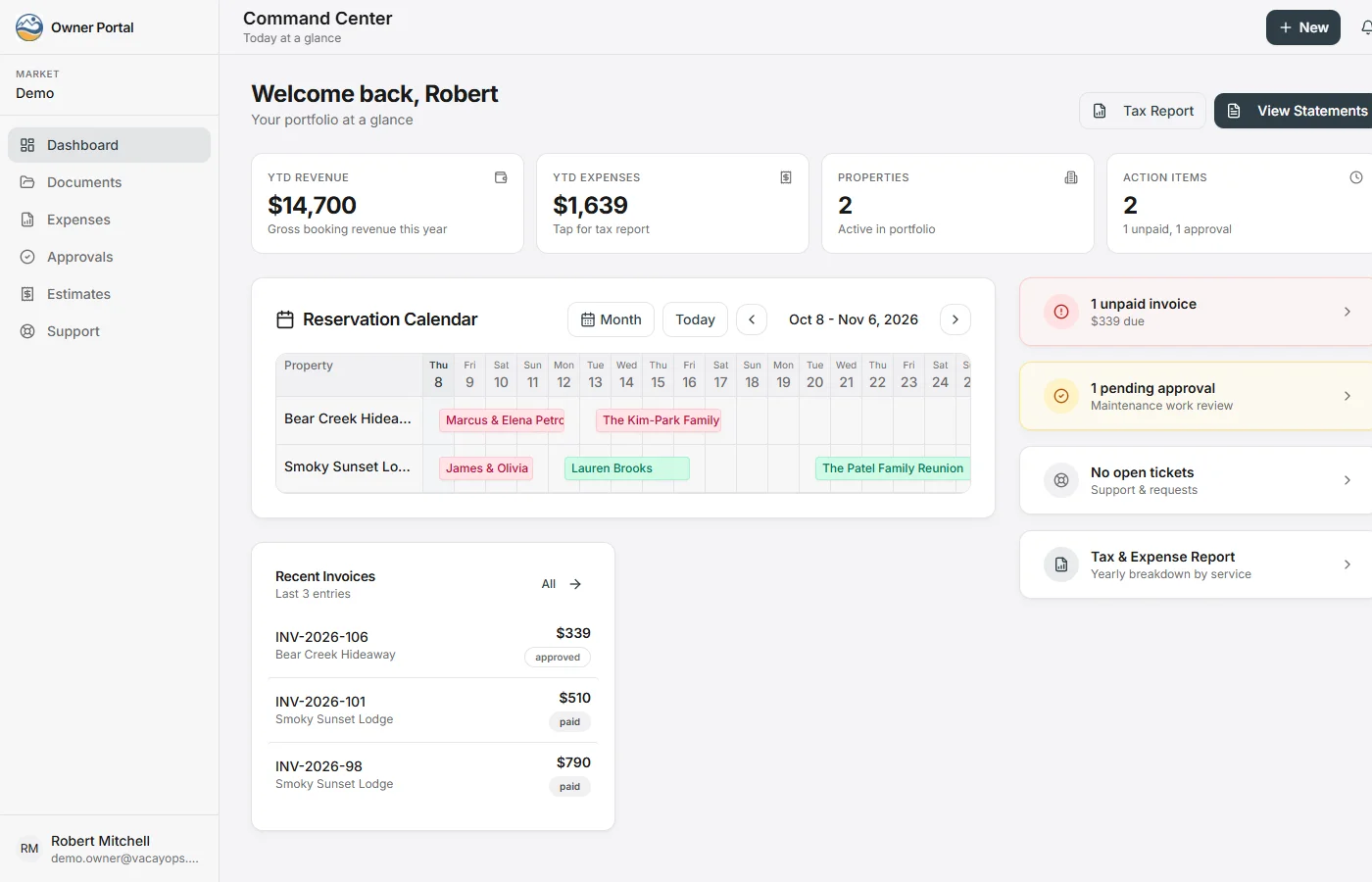
- Owner portal: dashboard, statements, invoices, calendar blocks, messaging, job visibility
- Owner approval workflows — request, approve, or reject maintenance and expenses
- Owner expense submission and reimbursement tracking
- Guest portal: house info, WiFi, area guide, HowTo guides, issue reporting
- Digital rental agreement with signature capture
- Post-stay NPS surveys, with guest-by-guest control over your follow-up emails
- Guest feedback engine with repeat-guest detection and lifecycle campaigns
- Portal ticketing with SLA tracking, AI deflection, and CSAT collection
Guest Screening & Damage Protection
Know who is arriving, and have the terms, the photos and the pay link when something breaks.
- Guest ID verification in the guest portal, powered by Autohost, switched on per company
- WiFi and access codes held in the portal until the guest is verified or has submitted, with an Airbnb exemption
- Guest Vetting queue: every upcoming stay with its verification status, and a Balance Due tab
- Damage waiver fee on every direct booking, routed to the owner, to you or split on the statement
- Damage Check on the inspection form: description and required photos, a task from the answer
- Extra charges on a stay for damage recovery, collected by pay link or card
- Security deposit amount and refund terms per property, sent to channel listings
Website Builder
Your brand. Your direct bookings.
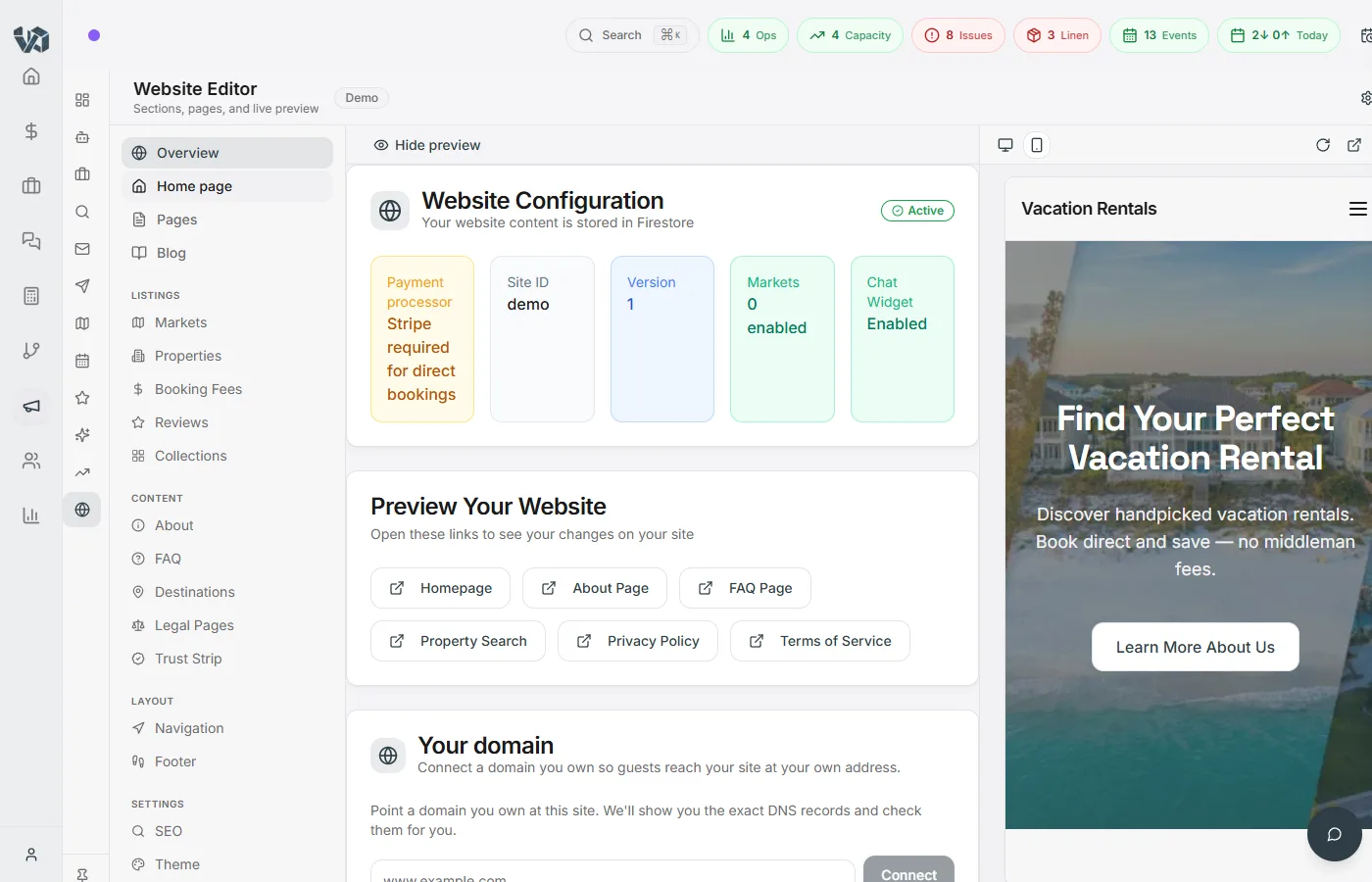
- Drag-and-drop page editor with 12 custom block types
- Multi-page sites with blog, FAQ, about, and destination pages
- Theme editor with custom colors, fonts, and branding
- AI-powered SEO recommendations and meta tag management
- Market-based routing for multi-location operators
- Integrated property search and direct booking checkout with Stripe payments
- AI changes arrive as proposals with a diff, a shareable preview, one-click apply and undo — nothing goes live without your approval
- “Build my site” drafts a full site from your listings and reviews; Gina edits it block by block from chat
- Optional AI assistant access: assistants that support MCP can search, quote and hand guests your checkout link
Smart Devices & IoT
Locks, thermostats, and WiFi — automated.
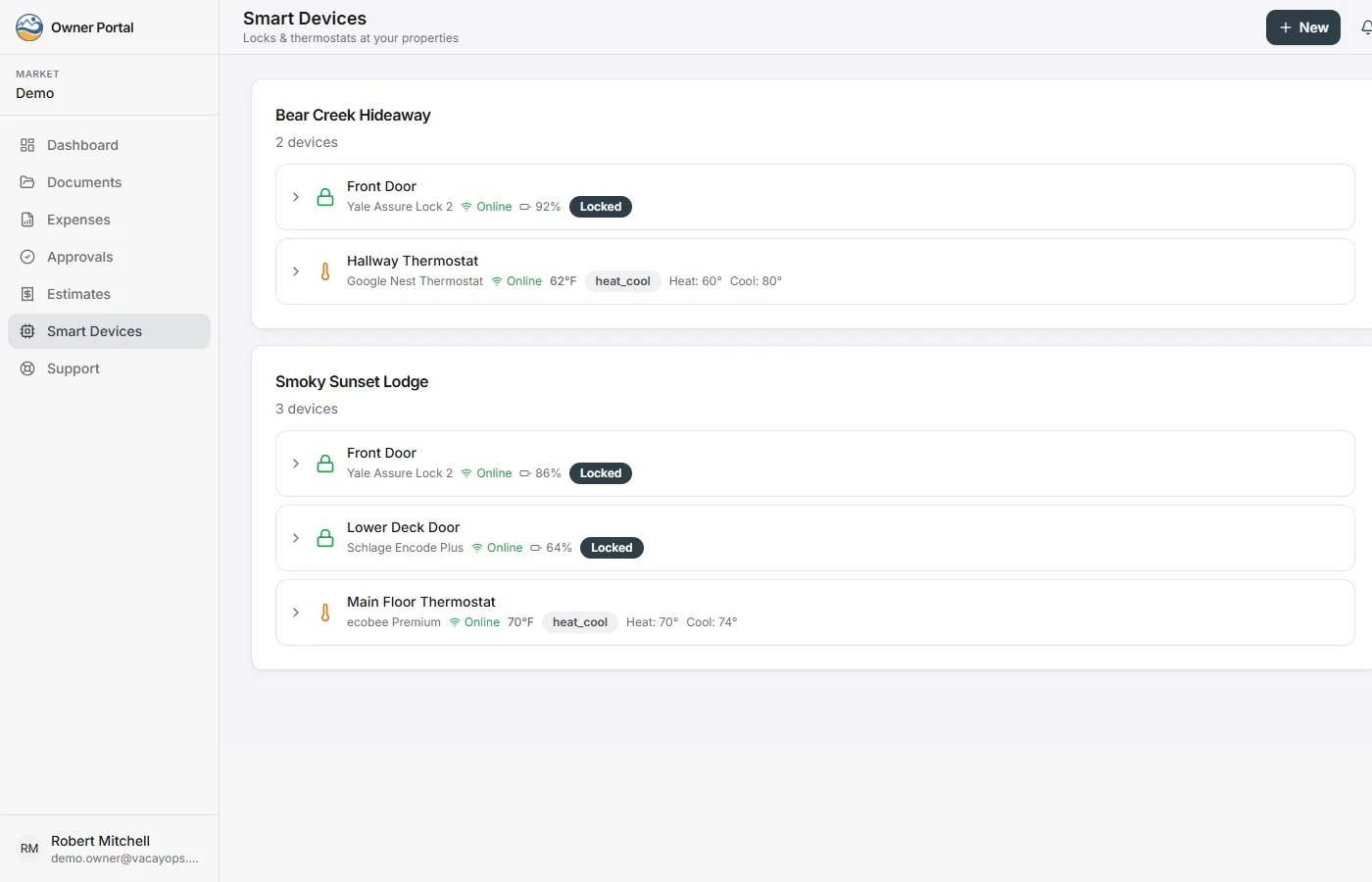
- Smart lock management — remote lock/unlock with access logs
- Auto-generated guest access codes tied to reservation dates
- Staff, guest, and vendor access code tiers
- Thermostat comfort automation — pre-heat/cool before check-in, eco mode between stays
- Device status dashboard with battery and connectivity monitoring
- Guest WiFi captive portal with network controller integration
Mobile Apps
Your operations on your phone — the field app is on Google Play.
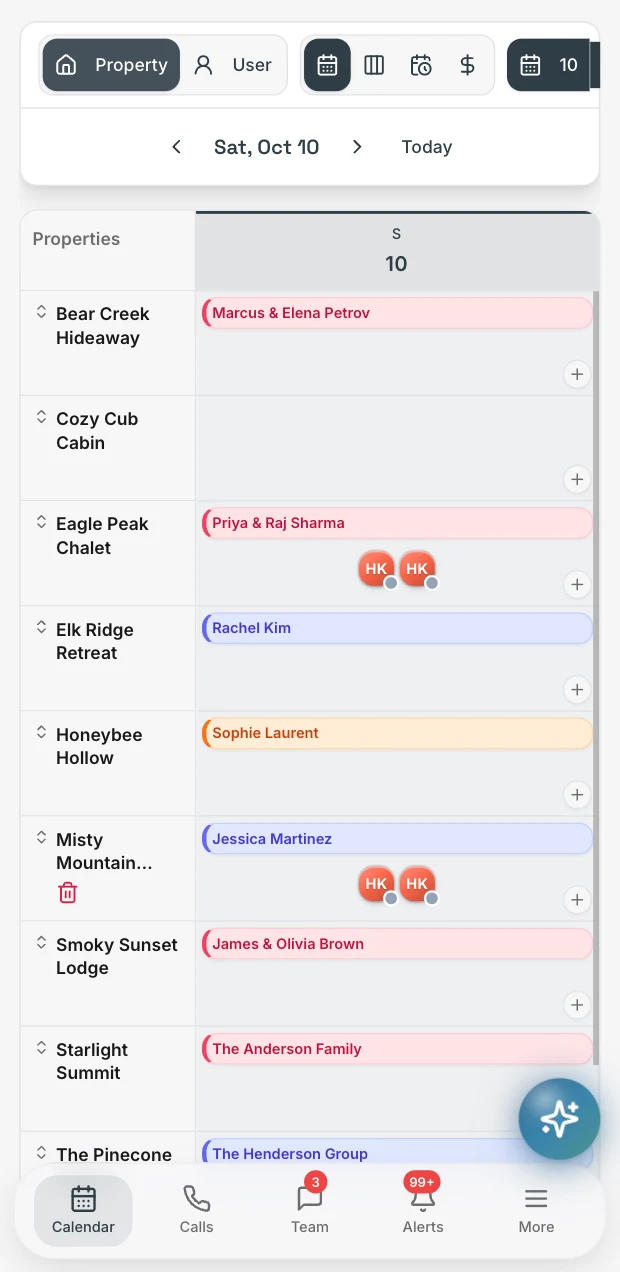
- The VacayOps app for field teams is on Google Play for Android. The iPhone app is coming soon; until then, crews and managers use the browser and add it to the home screen.
- Mobile-optimized task management with photo capture
- Push notifications for task assignments and urgent alerts
- Progressive web app support for desktop and mobile browsers
Document & Knowledge Management
Everything your team needs, in one place.
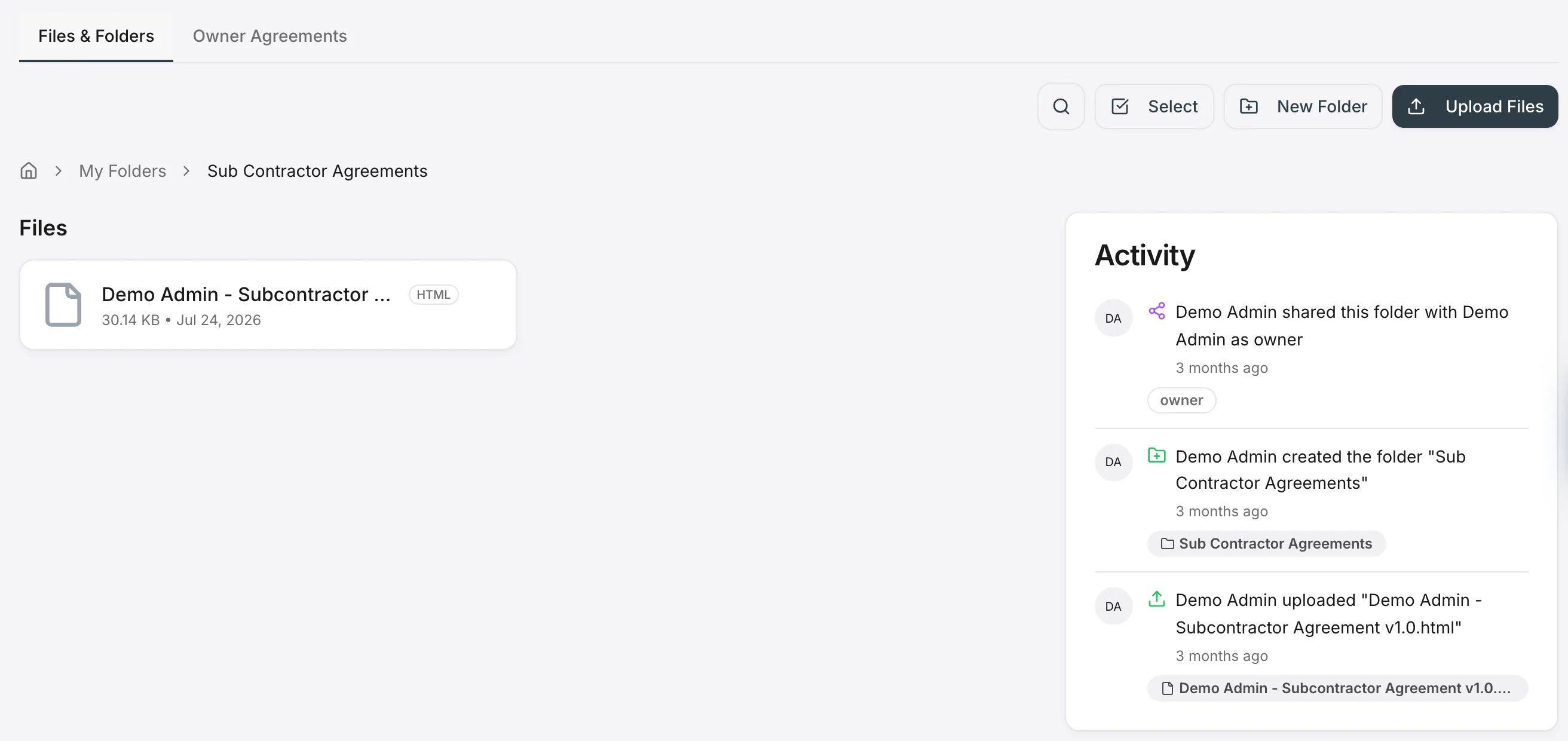
- Document and folder management with organized storage
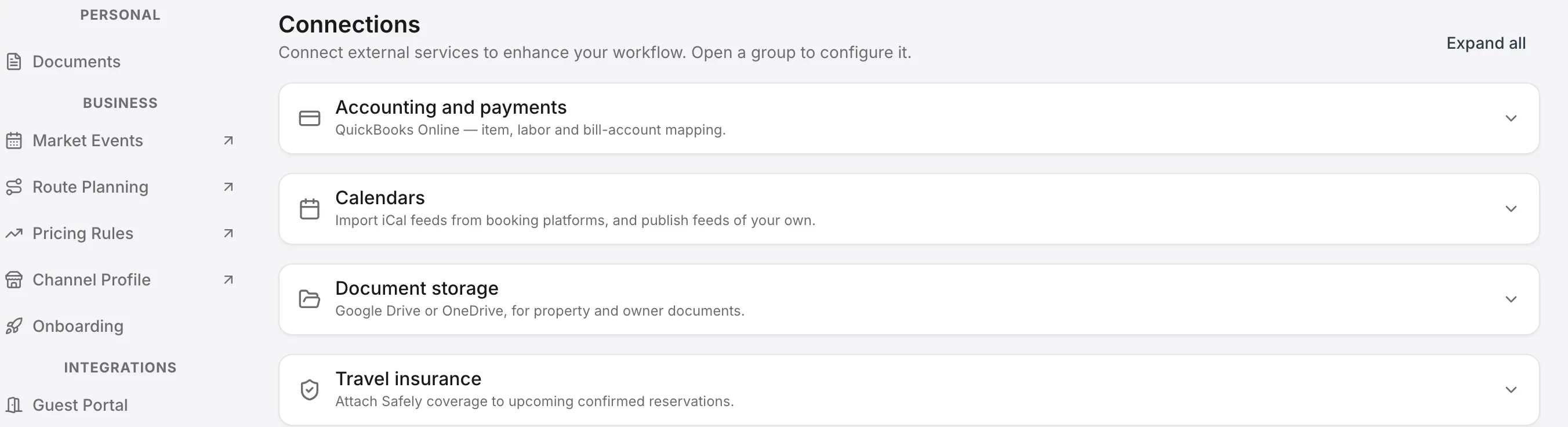
- Google Drive and OneDrive integration for external files
- Company knowledge base with policies and troubleshooting guides
- Training modules and help guides for team onboarding
- Per-property HowTo guides for staff and guests
Integrations
Connect everything. Sync everywhere.
- Direct OTA channel connections — your listings, rates, and availability distributed from VacayOps
- Google & Microsoft calendar bi-directional sync
- iCal feed import and export with reconciliation
- QuickBooks Online for accounting, invoices, and expense sync
- Built-in SMS, VoIP, and WhatsApp
- Slack, Microsoft Teams, and Google Chat for team collaboration
- Stripe for guest checkout and SaaS billing
- Google Drive and OneDrive for document storage
- Route planning and field service optimization
- Open API with scoped, revocable tokens: properties, reservations, tasks, owners, invoices and the books; workflows post events to any URL
- Automated Firestore backups
Security & Multi-Tenancy
Enterprise-grade. Operator-built.
- Complete multi-tenant data isolation with Firestore security rules
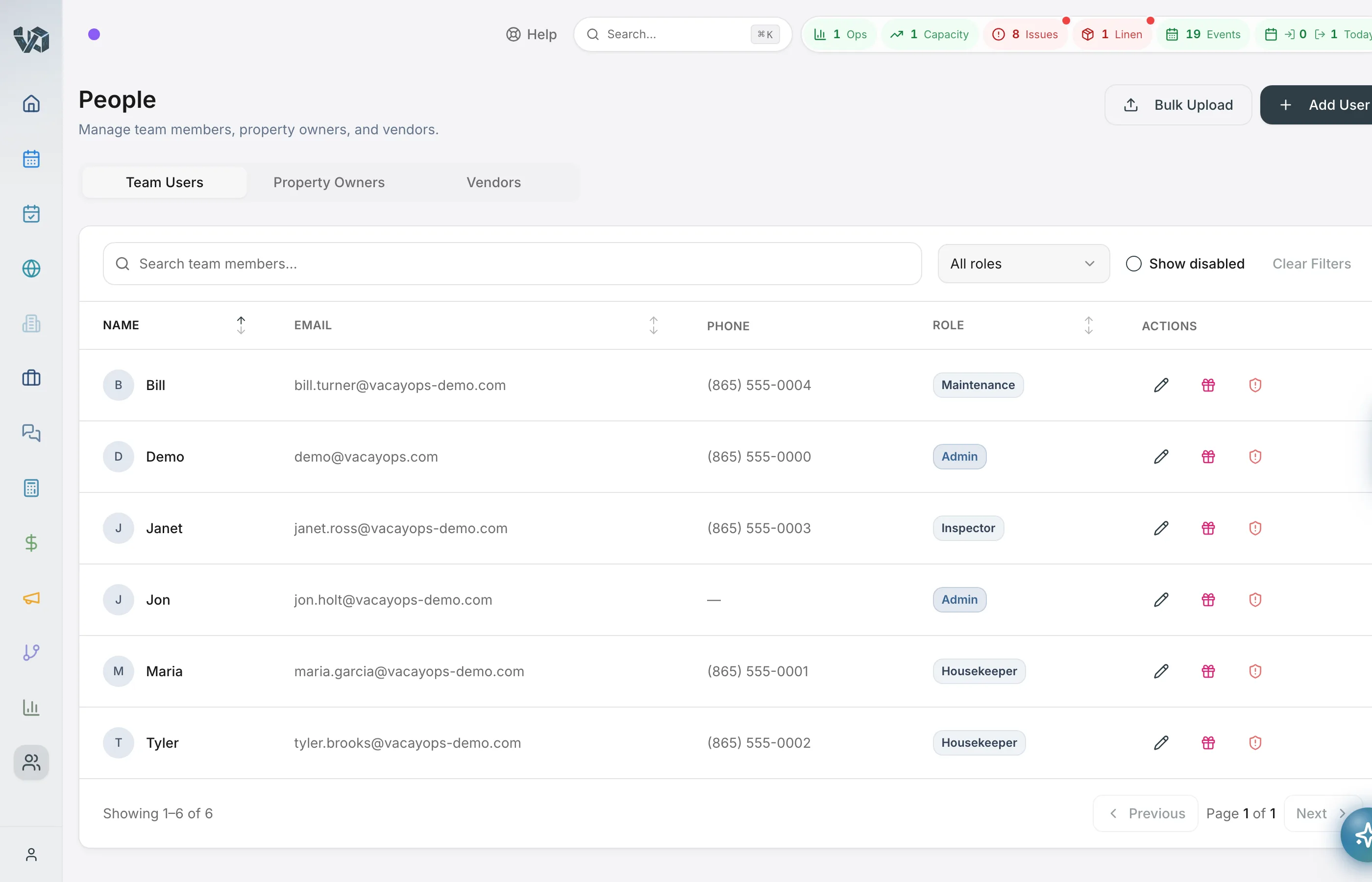
- Role-based access control (Admin, Field, Guest Support, Laundry, Owner)
- Super admin system for cross-tenant platform management
- Secure third-party integrations with encrypted credential storage
- Enterprise-grade data protection with automated backups
- Audit logging for sensitive operations
Questions about the features
- What features does VacayOps include?
- The Full Platform ($29/property/month) includes every feature on this page: the PMS and channel manager, guest inbox, housekeeping and routing, the field app, owner and guest portals, accounting with owner statements and trust accounting, CRM, the website builder, automation, AI and the phone system software. The only add-ons are smart devices ($5/device/month) and phone lines ($7/line/month). Users are unlimited.
- Does VacayOps include trust accounting?
- Yes, on the Full Platform, for property managers whose reservations run on VacayOps. It keeps owner balances and runs a monthly three-way reconciliation — bank, books and what you owe owners — that your accountant can sign off. Accounting is part of the subscription — no add-on fee for trust accounting, owner statements, accountant access or the 1099 files. VacayOps records and reconciles the money in your own bank and processor accounts. It never holds or moves funds.
- Does VacayOps have a direct booking website?
- Yes. The website builder makes a multi-page site with your branding, property search, live availability and direct booking checkout, on the same calendar as your channels. Keep 100% of your direct bookings. No booking fee, no revenue share — card processing is billed by your own processor at its rates.
- Does VacayOps do dynamic pricing?
- VacayOps includes rate rules — rule-based rate automation for seasons, day of week, last-minute windows and orphan nights, with a floor built from your real cleaning costs. Rate rules price from your business, not from market data. For market-data pricing, PriceLabs connects natively, billed by PriceLabs. Rate rules price each property you leave on them; a property you connect to PriceLabs keeps PriceLabs' rates.
- Is there a VacayOps mobile app?
- The VacayOps app for field teams is on Google Play for Android. The iPhone app is coming soon; until then, crews and managers use the browser and add it to the home screen. On a phone, crews see their jobs and route, fill in photo checklists, report issues with photos and track their time; managers get the reservations calendar, guest inbox and every other page.
- Does VacayOps have an owner portal?
- Yes. Owners sign in to see their statements and invoices, block dates for their own stays, approve or reject maintenance and expense requests, and message your team. Statements in the portal are the ones you issued from the same books, so owners and your accountant see the same numbers. Owners are users like any other, and users are unlimited at no extra charge.
Ready to see it in action?
In 30 minutes we'll walk you through the features that matter most to your operation.
14-day free trial — no charge until it ends.