One system runs your whole service business.
Scheduling from your clients' calendars, field checklists and photos, crew time and pay, routing, invoicing and approvals, your phone system and your sales pipeline — one login at $15/property/month, no seat fees.
14-day free trial — no charge until it ends. No contract. No setup fee.
One job, start to finish
One loginClient calendar (iCal)
SyncedJob created
TURNCrew assigned
JM · ARRoute
5 stopsChecklist + photos
7/7 photosIssue / parts
Part loggedInvoice
SentApproved & paid
Paid
Built by operators who managed 200+ vacation rentals.
You run a service business. Why does it take ten subscriptions?
A scheduling app, a checklist app, a group text for photos, a routing app, a time clock, an invoicing tool, a phone system and a spreadsheet for leads. None of them talk to each other, so you do the talking. VacayOps does every one of those jobs in one login.
Scheduling app
Jobs from client calendars
Checklist & inspection app
Forms and checklists
Photo sharing & group texts
Photos on the job
Routing app
Route planner
Time clock & payroll prep
Time clock and payroll export
Invoicing & payment links
Batch invoices with pay links
Approval email chains
Work approvals by link
Phone system
Business lines and unified inbox
CRM spreadsheet
Sales pipeline
Team chat
Team chat
VacayOps · Operations Only
$15/property/month
- One login for the office and the field
- Unlimited users — no seat fees
- One bill
Business phone lines $7/line/month.
Works with Airbnb, Vrbo and Booking.com
Connects to Airbnb, Vrbo and Booking.com through the VacayOps channel manager, so jobs and calendars stay in sync with your listings.
On Operations Only, jobs come from your clients' listing calendars by iCal link. The channel manager itself is part of the Full Platform.
Airbnb, Vrbo and Booking.com are trademarks of their respective owners. VacayOps is not affiliated with or endorsed by them.
We were a service company first.
When we started, there was no software built for this work — the industry was too fragmented to have one. Before we ran a full property management system, we only provided services, and it was a nightmare finding tools that worked together. Plenty of software exists now, but no one has built a system that runs a service company from start to finish without ten different subscriptions. Service companies have been overlooked and underestimated. We built the system we needed: one that keeps you out in the field, not behind a computer.
Built by operators. Funded by operators. No venture capital — we answer to the people who run rentals.
No venture capital
Self-funded by people who run rentals. Our roadmap comes from operators, not from a board looking for an exit.
No seat fees
Add every cleaner, tech, inspector and office hire at no charge. Your bill follows the properties you service, not the size of your crew.
No contract
Month to month with 30 days' notice. We keep you by being worth it, not by locking you in.
Every checkout becomes a job.
Add one iCal link per client property. The calendars sync every 2 hours, and every checkout creates the clean — whatever system your client runs. No portal-hopping and no screenshots in a group chat.
- One iCal link per property — no client account and no integration project
- Same-day turns flagged TURN, and the route planner puts them first
- Recurring jobs and daily inspections scheduled automatically
- A staffing forecast, so you know next week needs more hands before it arrives
Calendar synced — 2 jobs created
iCal · every 2 hoursCheckout clean · Sat 10:00a
Created from the client’s calendar
Checkout clean · Tue 11:00a
Created from the client’s calendar
Hot tub service · weekly
Recurring job, scheduled automatically
Same-day check-in on the client’s calendar — clean flagged as a turn, and the route planner puts it first.
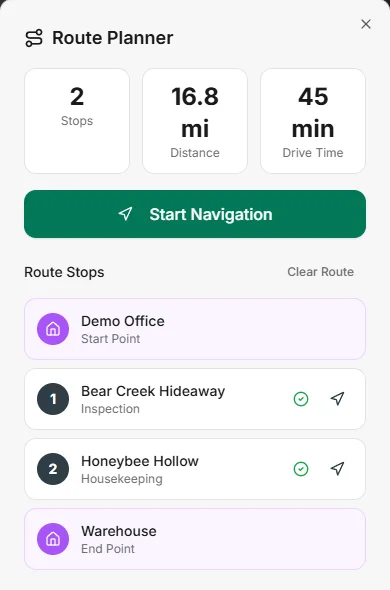
See the day on a map. Send each crew the right route.
The dispatch calendar shows the day's jobs as pins on a map, with a route drawer for each crew. The route planner puts turns and overdue jobs first.
- Day map of every job pin from the dispatch calendar
- A route drawer per crew, with stops, miles and drive time
- Turns and overdue jobs ranked first by the route planner
Photos on every job. Proof when anyone asks.
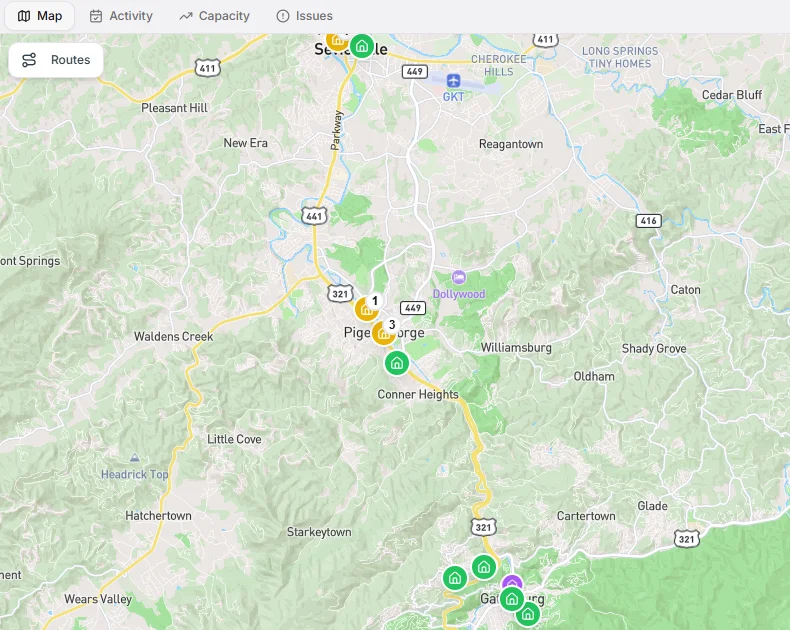
Your crew works the job from their phone: the checklist, the photos, the clock and the door code, all on one screen. Problems go to your issue board with photos attached, not into a text thread.
- A mobile job board in the Android app from Google Play, or in any phone browser added to the home screen
- Checklists and forms from a form builder that drafts them with AI and shows them in Spanish to Spanish-speaking crews
- A photo grid and a time tracker on every job
- Report an issue with photos straight to the issue board, and log the parts used
- Door codes on the job — smart locks $5/device/month
- Share a job by link with a helper who has no account
Checkout clean
Stop 2 of 5
- Linens replaced, beds made
- Kitchen cleaned, dishwasher emptied
- Trash out, bins re-lined
Finished jobs become the invoice.
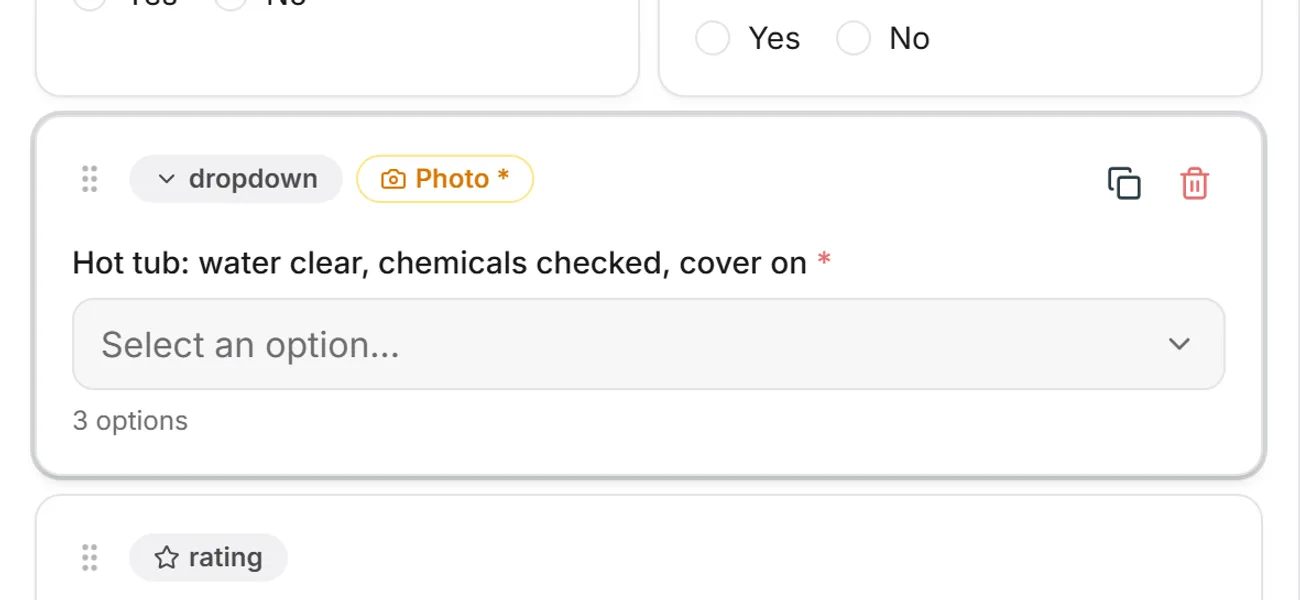
Pick a client and a date range, and the completed jobs become one invoice — parts, linen service and recurring charges included. A job cannot be billed twice. Every invoice carries a Stripe pay link.
- Batch invoices from completed jobs, by client and date range
- Estimates your client accepts by link
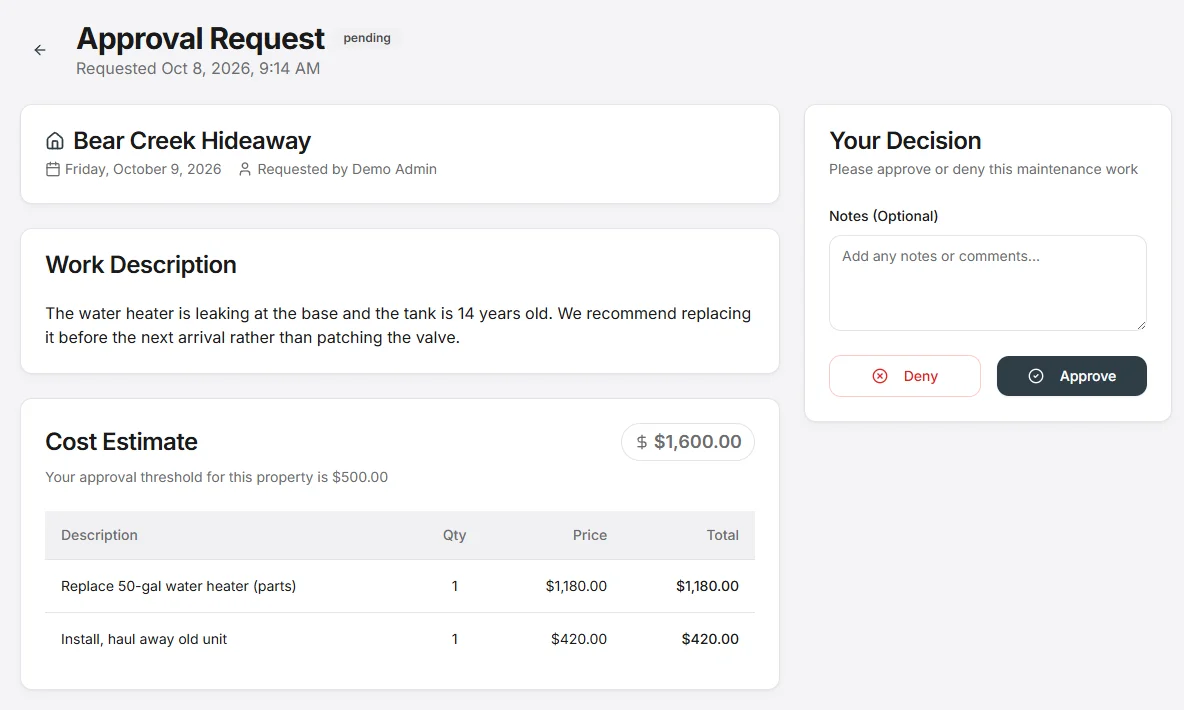
- Work over a set amount goes to the client for approval by email or text — with line items, photos and reminders
- QuickBooks Online sync for invoices and bills
Pay your people without the spreadsheet.
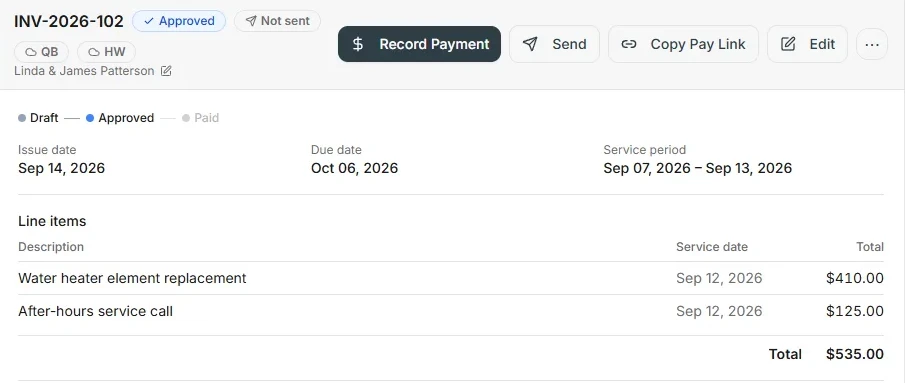
The work your crew finished is the record you pay from.
Subcontractor bills from finished work
Piece-rate or hourly. Completed jobs become the bill for each subcontractor, so nobody rebuilds the week from texts.
Time clock and payroll export
Your team clocks in from the field. Export hours as a payroll CSV for Gusto or ADP.
1099 payees and W-9s
A 1099 payees report for year end, with each payee's W-9.
Your next contract, and every call about it, in one place.
A sales pipeline for the managers and owners you want to work for, agreements they sign online, and a business phone system your whole team can answer.
- A CRM pipeline from first call to signed client
- E-signed client agreements and subcontractor agreements
- Email campaigns to your CRM contacts and owners
- Business phone lines at $7/line/month — unlimited users
- Team chat and one inbox for SMS, email and calls
Sales pipeline
Lead
Walkthrough
Signed
One inbox
Business line $7/line/monthSMS
Can you add a deep clean Friday?
Email
Estimate accepted — see you Monday
Call
Missed call · voicemail left
The back office, in the same system.
The numbers come from the work, so nobody re-types them.
Your own books, and a tax summary
Ledger, bank statements and reconciliation, kept in the same system as the work — and a Business Tax Summary for your accountant: income by service, costs by category and your 1099-NEC payees for the year.
P&L, budget and aging
Profit and loss, a budget to measure against, and invoices aging so you know who owes what.
Inventory and parts
Parts on hand, purchase orders and low-stock alerts before the supply closet runs dry.
Linen tracking
Know where your linen is, and bill linen service on the invoice.
Workflow automation
Set the rule once — when this happens, do that — and stop doing the same follow-up by hand.
AI assistant
Ask about your jobs, schedule and numbers in plain words, and get the answer from your own data.
Your clients approve the work without calling you.
Clients get links, not logins. They approve work with the photos in front of them, accept estimates and pay invoices from the pay link. Invite a client to the owner portal and they can see their invoices, approvals, estimates, expenses, documents and messages in one place.
- Approval links with line items and photos
- Estimates accepted by link
- Invoices with a pay link
- Owner-portal access for the clients you invite
- Clients who also run VacayOps can add your crew to their account as vendor users
Work approval
Replace water heater
Line items · 2 photos
Estimate
Spring deep clean, all rooms
Scope and price
Invoice
Cleans and parts, this period
Pay link on every invoice
Sent by email or text. No login needed to approve, accept or pay.
$15/property/month
No seat fees. Every cleaner, inspector and office hire included.
Priced per property you service. No setup fee, no contract.
- No contract — month to month, 30 days' notice.
- No setup fee — onboarding, setup, configuration and training included.
- Your price is locked for the first 12 months.
- Business phone lines $7/line/month. Smart devices $5/device/month.
14-day free trial — no charge until it ends.
What Operations Only does — and does not — include
Operations Only leaves out everything that needs guest and reservation data. Here is exactly where the line falls.
| Capability | VacayOps | Full Platform — $29 |
|---|---|---|
| Jobs from client calendars, checklists & photo proof | ||
| Dispatch calendar, day map & route planner | ||
| Command Center dashboards — jobs, crew load, invoices & clients; no guest widgets | ||
| Time clock, piece-rate or hourly pay & payroll export | ||
| Batch invoicing, pay links & QuickBooks Online sync | ||
| Work approvals, estimates and pay links for clients | ||
| Sales CRM, e-signed agreements & email campaigns | ||
| Books, P&L, inventory & linen tracking | ||
| Business phone system, team chat & unified inbox | $7/line/month | $7/line/month |
| Smart-lock door codes | $5/device/month | $5/device/month |
| Guest messaging | ||
| Reservations | ||
| Channel connections | ||
| Direct-booking website | ||
| Owner statements | ||
| Revenue estimator |
Operations Only is the plan for companies servicing properties they do not manage. If you also take bookings, the Full Platform adds guest messaging, reservations, channel connections, a direct-booking website, owner statements and the revenue estimator.
Switching is built in. Bring your clients, properties, team and calendars.
Load your properties, team members, clients, vendors, calendar feeds, cleaning rates, open jobs and CRM contacts from the spreadsheets you already have — the importer maps the columns for you — and choose the day you switch over. No setup fee — onboarding, setup, configuration and training included.
Questions service companies actually ask
- Does it work on my crew's phones?
- Yes: the job board, checklists and photos, the job timer, door codes and issue reports. The VacayOps app for field teams is on Google Play for Android. The iPhone app is coming soon; until then, crews and managers use the browser and add it to the home screen. Unlimited users — adding a crew member costs nothing.
- What does it cost? Are there seat fees?
- $15/property/month, with no seat fees — every cleaner, inspector and office hire is included. Business phone lines are $7/line/month and smart devices are $5/device/month. No contract — month to month, 30 days' notice. No setup fee — onboarding, setup, configuration and training included. 14-day free trial — no charge until it ends.
- Where do the jobs come from?
- From your clients' calendars. Add one iCal link per property and the calendars sync every 2 hours. Every checkout creates the clean, and same-day turns are flagged. Recurring jobs and daily inspections schedule themselves.
- Do I need the property management system, or do my clients have to switch?
- No to both. Operations Only is built for companies servicing properties they do not manage. A calendar link per property is enough, and it works with whatever system your clients run.
- I service a large portfolio. Is it still per property?
- Portfolios above roughly 150 properties are priced individually. Talk to us and we will quote your book.
- My client already gives me a login to their system. Why pay for my own?
- Keep it — you'll need it for their jobs. That login covers their properties on their terms and ends when the contract does. VacayOps is where your company lives: every client on one board, your invoices, your crew and your numbers.
- What do I hand my accountant at year end?
- The Business Tax Summary under Reports: income by service, costs by category and the 1099-NEC payees you paid enough to file for, for one year. Your invoices, bills and ledger sit behind it, and your accountant can be given read-only access to the books.
- What is not included?
- Guest messaging, reservations, channel connections, a direct-booking website, owner statements and the revenue estimator. Those need guest and reservation data you do not hold, and they are part of the Full Platform.
- What happens to my data if I stop using it?
- It is your account. Invoices, contacts, tasks and payroll data export out. Nobody shuts it off because a client contract ended.
Also run properties of your own? See the Full Platform at $29/property/month, or compare every plan side by side.
One login. One bill. Unlimited users.
The work, the proof, the invoice and the payroll — in one system. $15/property/month with unlimited users. No contract — month to month, 30 days' notice. 14-day free trial — no charge until it ends.