Vacation rental direct booking websiteThe website that keeps itself up to date.
Built from your PMS data and maintained by AI, and nothing goes live until you approve it. Every change arrives as a proposal you can read, preview, apply in one click and undo. Guests book on your own processor, onto the same calendar as your channels.
No booking fee on direct bookings. Card processing is billed by your own processor.
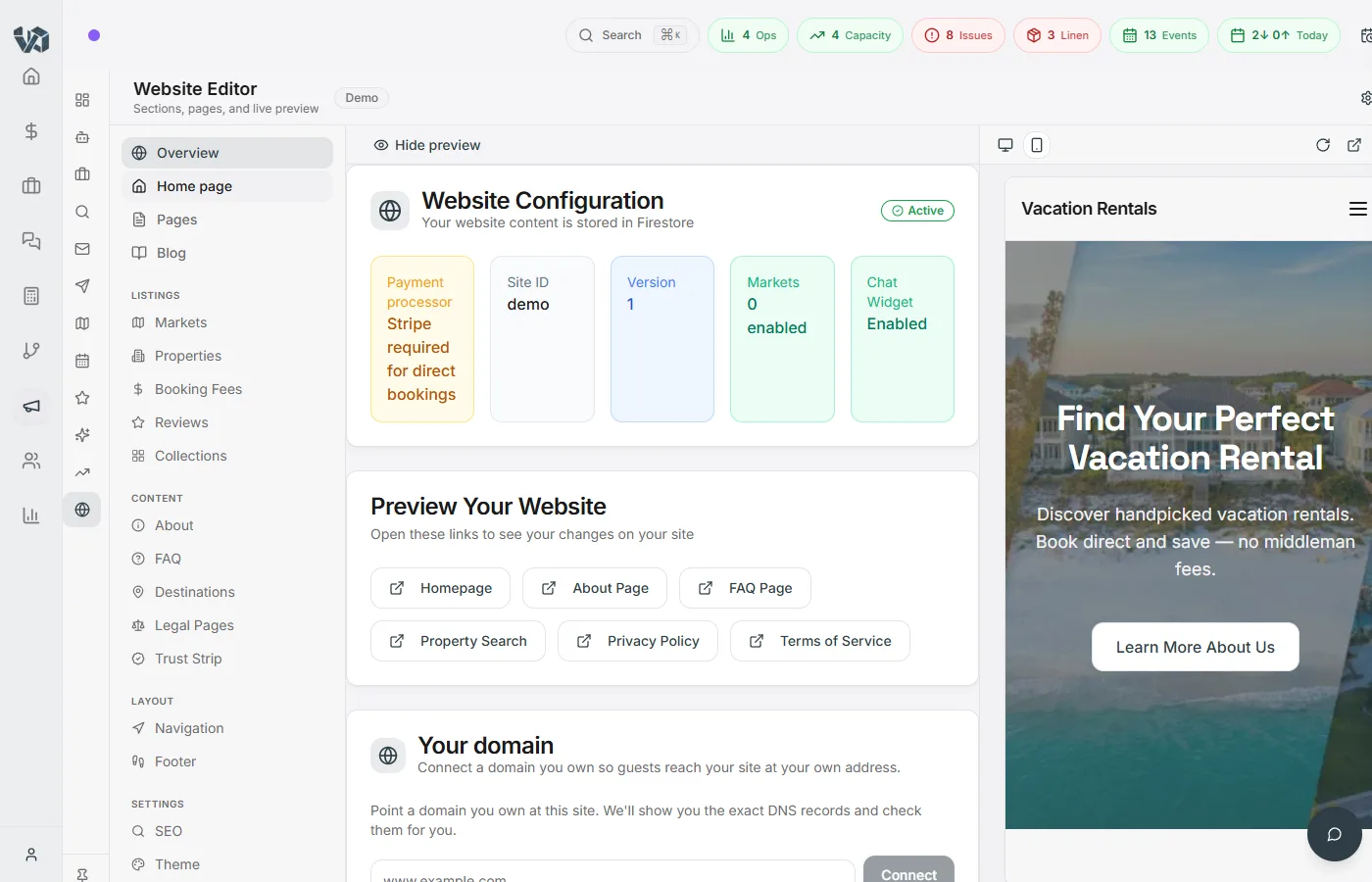
Every AI change is a proposal you can read
Gina, Build my site and the weekly optimizer never edit your site directly. Each one writes a proposal: a title, a readable diff grouped by page and setting, warnings inline, and buttons to preview, apply or discard. Applying takes one click and undoing takes one more.
- A readable diff of every change: blocks added, changed, removed or moved, settings before and after
- A preview link that stays valid for 7 days, so a co-owner can look before you apply
- Remove any single change before you apply the rest
- Undo puts back everything the proposal changed, in one step
- Edited the page since? Apply refuses and marks the proposal out of date instead of overwriting your edit
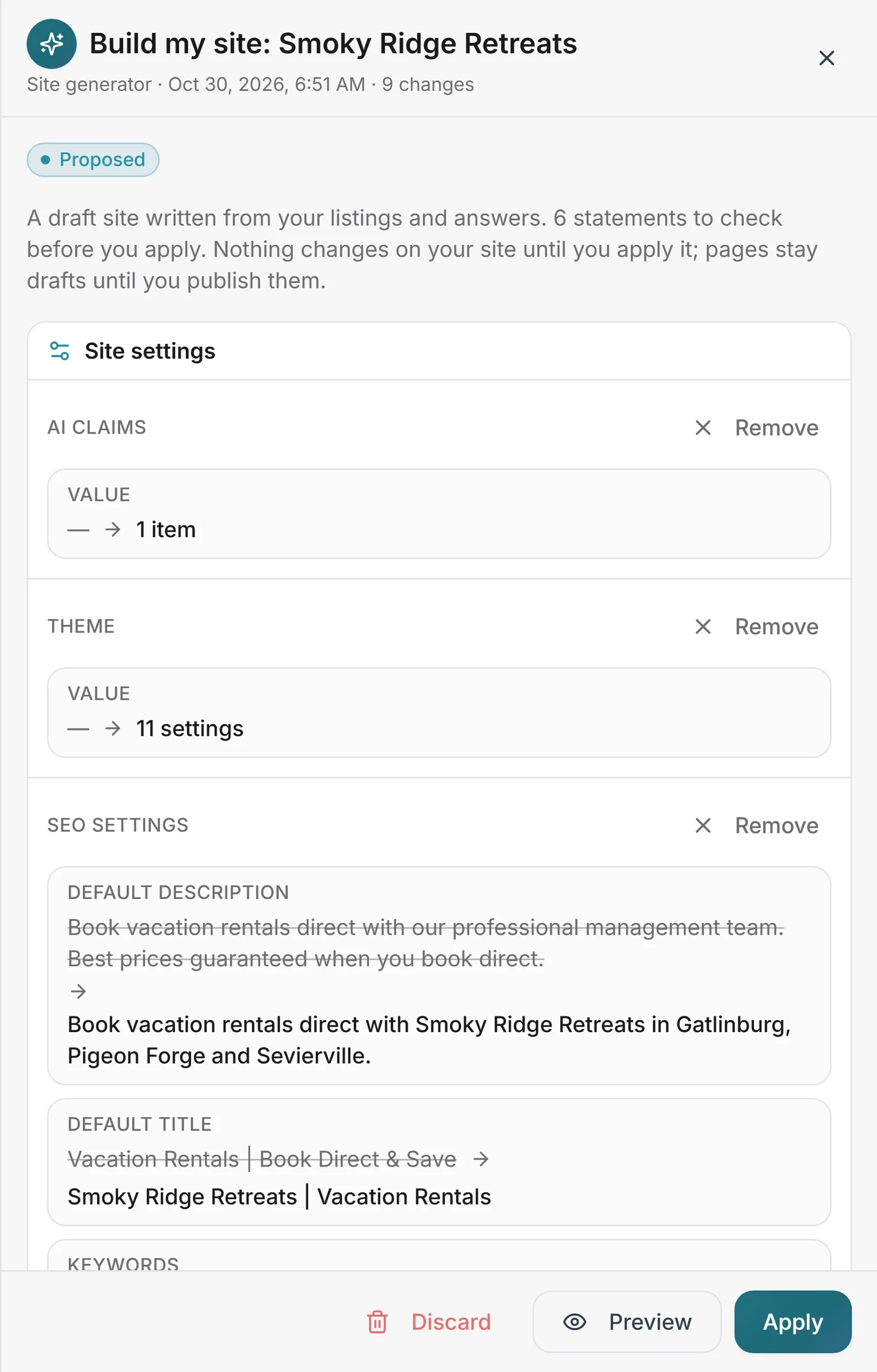
Copy that comes from your listings, then gets checked
The editor’s AI writer, Build my site and the optimizer start from a fact pack about your business: the listing record, its amenities, your stored reviews, the markets your guests come from, the copy already on your site, and the claims you have said are true. The writer is told to use nothing else. A second pass pulls out each factual claim and marks it supported, contradicted or unsupported.
- Contradicted and unsupported claims show on the proposal before you apply
- If the check can’t run, the change is marked unchecked, never clean
- A blocklist catches “best rate”, “guaranteed” and similar claims first
- Allowed claims: tell it what’s true about your business and the AI may say it
“Sleeps 12, with a private hot tub, sunsets guests love, and steps from the water.”
- Sleeps 12Contradicted
Your listing says it sleeps 8
- Private hot tubSupported
Listing amenities
- Guests love the sunsetsSupported
Three of your stored reviews
- Steps from the waterUnsupported
Not in your facts
Flagged claims show on the proposal before you apply. True but not in your data? Add it to your allowed claims and the AI may say it.
Describe your business. Get a full draft site.
Answer a short questionnaire: your name, the towns you serve, a tone, what makes you different. Build my site reads your listings and reviews, and your old site if you give it the address, and proposes a whole draft as one proposal, written from your facts and claim-checked.
- Home page, About, FAQ, Contact and destination pages, from your own listings
- Only the differences you tick as true can be stated
- A live site is never replaced unless you say so, and even then it’s a proposal
- Moving from another PMS? The Migration Center offers it once your properties are in, so you have a draft on day one
You tell it
- Business
- Gulf Breeze Rentals
- Towns
- Gulf Shores, Orange Beach
- Tone
- Warm and friendly
- What makes you different
- Local team on call · this is true
You get one proposal
- Home page
- About
- FAQ
- Contact
- Destination pages for your towns
Written from your listings and reviews, claim-checked.
Only the differences you tick as true can be stated. Nothing goes live until you apply it.
Ask Gina to change the site, block by block
Gina, the assistant in your VacayOps account, can read a page’s blocks and propose edits to them: add, rewrite, move or remove a block, set an image from your media library, start a landing page, or fix an issue from the SEO health panel. You confirm before she proposes, and the proposal still waits for you to apply it.
- “Fix with Gina” on SEO health issues she can fix
- One conversation’s suggestions stay together in one proposal
- Copy with a claim you haven’t confirmed, like “24/7” or “best rate”, is refused rather than proposed
Two changes for Gulf Shores: a new FAQ block from your pet policy, and the Testimonials block moved above the Gallery. Nothing changes on the site until you apply it.
Read, add, edit, move or remove blocks, set an image from your media library, start a landing page, fix an SEO issue — every one lands in Proposed changes.
Every week, a short list of changes worth making
Switch it on per site and once a week the optimizer looks at your site’s visits and landing pages, checkouts started, direct revenue, and the nights still open four to eight weeks out. It ranks what it finds, estimates what each fix could be worth and shows its working, then writes the best few as proposals.
- Landing pages with visits but no checkouts; homes with open nights, grouped by town and feature
- Every estimate labelled an estimate, with the numbers behind it
- Never published on its own. Discard a proposal and it isn’t suggested again for 8 weeks
- Off until you turn it on. Search Console queries are coming
Pet-friendly homes in Gulf Shores
23 open nights 4–8 weeks out · the pet-friendly page gets visits but no checkouts
open nights × typical nightly rate × fill estimate
Never published on its own. A proposal you discard isn’t suggested again for 8 weeks.
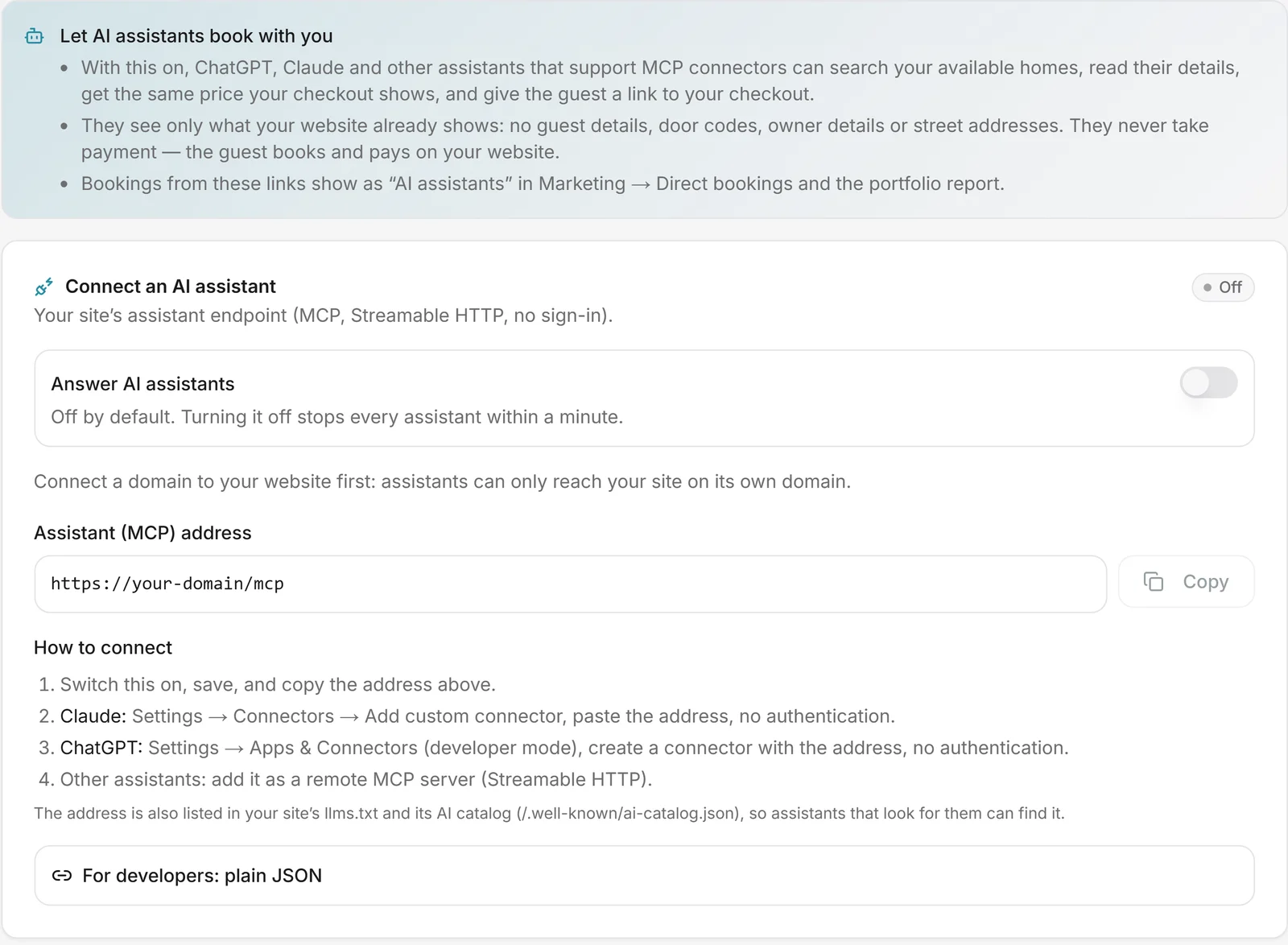
Let AI assistants quote your homes and send guests to your checkout
Each site can have its own MCP endpoint, plus the same tools as plain JSON. AI assistants that support MCP can connect and search your availability, read your public listing details, get the same quote your checkout gives, and hand the guest a checkout link on your site.
- The guest pays on your checkout. Agents never take payment
- Public data only: no guest data, no door codes, no street addresses
- Bookings from agent links are reported as their own source, beside every other channel
- Off until you switch it on, per site
Blocks that update themselves from your data
Drop in a testimonials block that pulls from your own reviews, a “from” price that follows your rates, or a book-direct note worded from the fees your channels report (or their published rates). Each one is read fresh when the page renders, and hides rather than invent a number.
- Testimonials from reviews you haven’t hidden, above a minimum rating, first name and last initial only
- A live “from” price for a property
- Optional book-direct savings estimate, always labelled an estimate
“Spotless, quiet, and the view at sunset was worth the trip.”
Dana R.
From $189 / night
Booking sites keep about 15% of every booking. Book direct with us.
Reviews you’ve hidden never appear; guests show as first name and last initial. No data, no block — it hides rather than invent a number.
A Meta catalog feed with your best photo first
Each site has a Meta catalog feed built from your property records, with the photos in your order. Ask for a suggested ad photo order and the AI looks at the photos and proposes one, the pool at dusk first and the bunk room further down, as a proposal you apply or don’t. Pin a hero photo or drop one yourself, for one property or all of them.
- Feed rows from your property records: name, description, link with UTM tags, photos, price, beds, baths, sleeps
- Suggested photo order applies to the ad feed only; your listing gallery stays as you set it
- GA4, Tag Manager, Meta Pixel and Conversions API, Google Ads and Microsoft UET, all behind your consent settings
Suggested ad photo order · Gulf View Retreat
Proposal- 1Pool at duskwas #7
- 2Living room, gulf viewwas #1
- 3Primary bedroomwas #2
- 9Bunk roomwas #3
Applies to the Meta catalog feed only. Pin a hero or drop a photo yourself; run it for one property or all of them.
Every brand’s site in one view, down to direct share
The site counts its own traffic: cookieless and aggregate-only, with no IP, user agent or visitor id stored. The portfolio dashboard groups sites by brand and follows each one from visits to checkouts to direct revenue to direct share, with totals across the group, any date range and a CSV.
- Visits, landing pages and referrers, including AI-assistant referrers
- Checkouts and paid bookings from your own booking records, not a browser tag
- Direct share from the same numbers as the Direct bookings report
Portfolio · last 28 days
CSV| Brand | Visits | Checkouts | Direct revenue | Direct share |
|---|---|---|---|---|
| Coast brand | 18,420 | 412 | $186,300 | 31% |
| Mountain brand | 9,870 | 205 | $94,150 | 24% |
| Lake brand | 4,110 | 88 | $38,900 | 19% |
Counted by the site itself, cookieless and aggregate-only. Bookings from AI-assistant links get their own row.
Zero commission, on your own processor
Guests search live availability, pay on your own Stripe or Slim CD account, and the reservation lands on the same calendar your cleaning and messaging already run on. No connector in the middle.
- Live availability search by dates and guest count, read straight from the master calendar
- Your rates, fees and taxes apply automatically, from one set of settings for every channel
- Many PMS booking engines take a percentage of every direct booking. Ours takes nothing
- A confirmed booking hits your calendar and schedules the turnover clean
No VacayOps fee or markup. Card processing is billed by your own Stripe or Slim CD account at its rates. See what other platforms charge
Direct is just your best channel
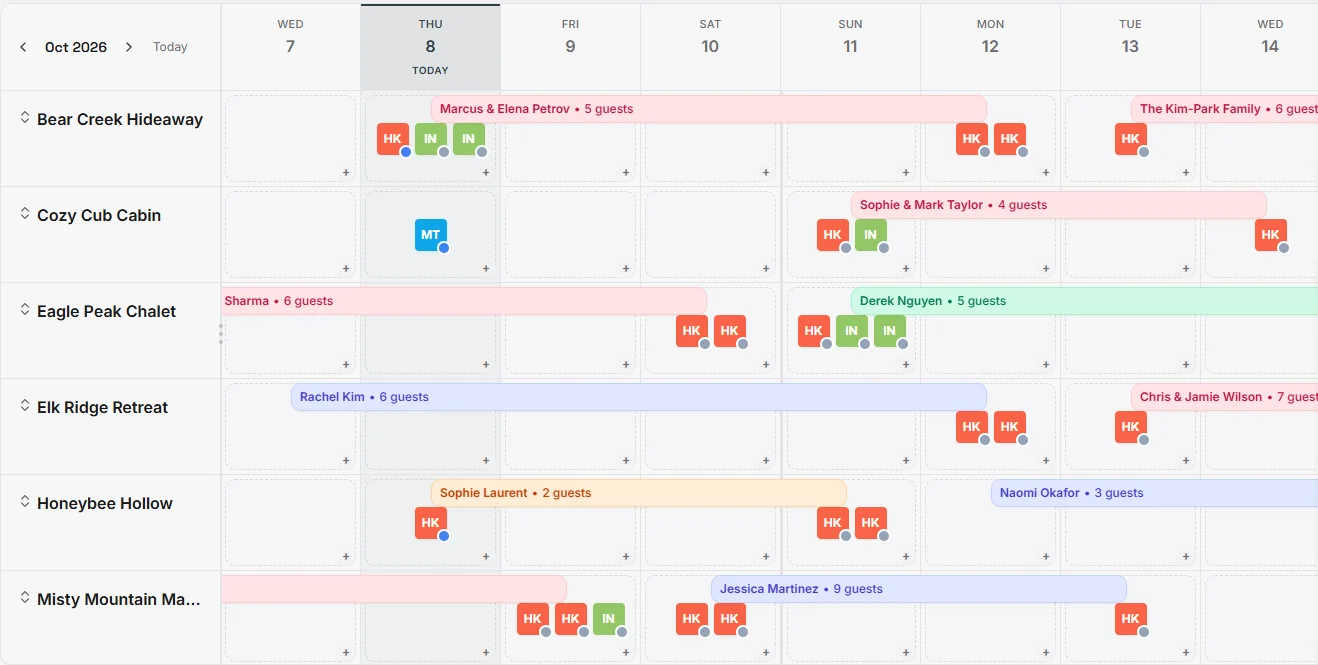
Your direct site sits beside Airbnb, Vrbo and the rest of your connected channels on the same native calendar. Same guest messaging, same turnover automation, no channel manager in the middle.
- A booking on any channel closes those dates everywhere the moment it lands
- Turnover cleans, portal links and door codes fire identically for every booking source
One platform, every market you operate in
Market-scoped sites with their own destination guides, property search and navigation, and each brand sees only its own markets. Destination pages carry overviews, highlights and a nearby-attractions map.
- Market pages with dedicated search and destination guides
- Brand-scoped configuration for multi-brand operators
- A scheduled site-wide banner for storm updates or a seasonal push, by market, with start and end dates
What other vacation rental websites can’t do
A website builder doesn’t hold your reservations, calendar or reviews, so some of this is out of its reach by design. Booking sites from a PMS vary a lot, so we say “varies” rather than guess.
| Feature | VacayOps | Typical website builder | Typical PMS booking site |
|---|---|---|---|
| AI copy written from your listings, amenities and stored reviews | Yes | NoNo PMS data to write from | Varies |
| Each factual claim checked against your data, unsupported ones flagged before you apply | Yes | NoNothing to check claims against | Varies |
| AI changes arrive as proposals: readable diff, shareable preview, one-click undo | Yes | Varies | Varies |
| Availability and checkout on the same calendar as your channels | Yes | NoNeeds a connected booking widget | Yes |
| No booking fee or revenue share on direct bookings | None. Card processing is billed by your own processor | Varies | VariesSome charge a percentage |
| Weekly change proposals from your bookings, open dates and site visits | Yes | NoNo bookings or open dates to read | Varies |
| AI assistants can search, quote and hand the guest your checkout link | MCP + JSON, off until you switch it on | Varies | Varies |
| Testimonials and "from" prices that update from your own data | Yes | Usually extraUsually a third-party widget | Varies |
| Direct share across brands: traffic → checkout → direct revenue → direct share | Yes | NoNo channel bookings to compare against | Varies |
| Meta catalog feed in the photo order you set | Yes | Usually extra | Varies |
| First-party, cookieless site analytics | Yes | Varies | Varies |
Categories, not named products. “No” marks something that needs data the category doesn’t hold.
Everything else in the editor
Included at $29/property/month. No booking-engine percentage. No page limits.
Drag-and-drop blocks
Hero, gallery, columns, video, testimonials, FAQ, CTA, embeds — arrange, preview, publish.
Blog + AI drafts
Draft a post from a title and outline, then edit every block before it goes live.
SEO toolkit
Title tags, meta descriptions and share images with a search-result preview, plus a health panel.
Destination guides
Overviews, highlights and nearby-attractions maps for every market you serve.
AI website chat
A branded chat widget that answers property questions and hands off to your team when needed.
Third-party widget slots
Add price-comparison or chat widgets by page, gated on consent, run only on your own domains.
Announcement banner
Storm update or seasonal push: schedule it, pick the markets, set the tone, let guests dismiss it.
Tracking with consent
GA4, Tag Manager, Meta Pixel and Conversions API, Google Ads and Microsoft UET, honouring cookie choices.
Website builder: questions
- Does the AI change my website on its own?
- No. Everything the AI writes, from Gina, from Build my site or from the weekly optimizer, arrives as a proposal in Proposed changes. You see a readable diff, any claim warnings and a preview, and nothing changes until you apply it. Page changes land as drafts unless you choose Apply and publish, and an applied proposal can be undone in one step.
- What if I edit a page after the AI proposed a change to it?
- Your edit wins. Each change in a proposal remembers what it was written against, and Apply checks every one first. If anything moved since, nothing is written: the proposal is marked out of date, and you remove that change or ask Gina to refresh it.
- Can the AI make things up about my properties?
- It can get things wrong, so it doesn’t get the last word. The writer works from a fact pack of your listing, amenities, stored reviews, guest-origin markets, your saved site copy and the claims you have allowed. A second pass checks each factual claim against that pack and flags anything contradicted or unsupported on the proposal, before you apply. If the check can’t run, the change is marked unchecked, never clean. Copy with a claim you haven’t confirmed, like “24/7” or “best rate”, is flagged or refused outright.
- What does Build my site need from me?
- Your business name, the towns you serve, a tone, what makes you different (each one ticked as true, or it isn’t used), contact details and, if you have one, your old site’s address. It reads your listings and reviews and proposes a full draft site (home page, About, FAQ, Contact and destination pages) as one proposal. A site that is already live isn’t replaced unless you say so, and even then it is only a proposal.
- Can AI assistants book my rentals?
- AI assistants that support MCP can connect to your site’s own endpoint once you switch it on. They can search availability, read your public listing details, get the same quote your checkout gives, and hand the guest a checkout link on your site. The guest pays there; an agent never takes payment and never sees guest data, door codes or street addresses. Bookings from those links are reported as their own source. It is off until you turn it on.
- What does the weekly optimizer look at?
- Visits and landing pages from the site’s own analytics, checkouts started, direct revenue, and open nights four to eight weeks out. From those it proposes changes, each with an estimated value and the working behind it. It never publishes anything, and it is a per-site switch that starts off. Search Console queries are coming.
- Is there a booking fee on the website?
- Keep 100% of your direct bookings. No booking fee, no revenue share — card processing is billed by your own processor at its rates. Guests pay on your own Stripe or Slim CD account, and the reservation lands on the same calendar as your channels.
- Can I run several brands or markets?
- Yes. Each brand gets its own site and domain, with market pages, destination guides and search scoped to it. The portfolio dashboard puts every brand’s sites side by side: traffic, checkouts, direct revenue and direct share over any date range, with a CSV export.
- I’m switching from another PMS. When do I get a website?
- Switching is built in — a self-guided Migration Center, with a specialist reviewing your move. Once your properties are in, the Migration Center offers Build my site, so you can have a draft site to review on day one.
See your listings turned into a draft site
In a 30-minute walkthrough we’ll build a draft from your listings, read the claim check together, and apply a change and undo it.