Locks and thermostats on autopilot
A booking lands and the door code already exists — minted for that guest, live four hours before check-in, dead an hour after checkout. No proprietary hub, no $550-a-door hardware tax. Connected devices are $5/device/month on top of the base rate — a one-lock property runs $5 against the $12-16/unit a standalone smart-home platform charges, and your locks run on the same data model as your reservations.
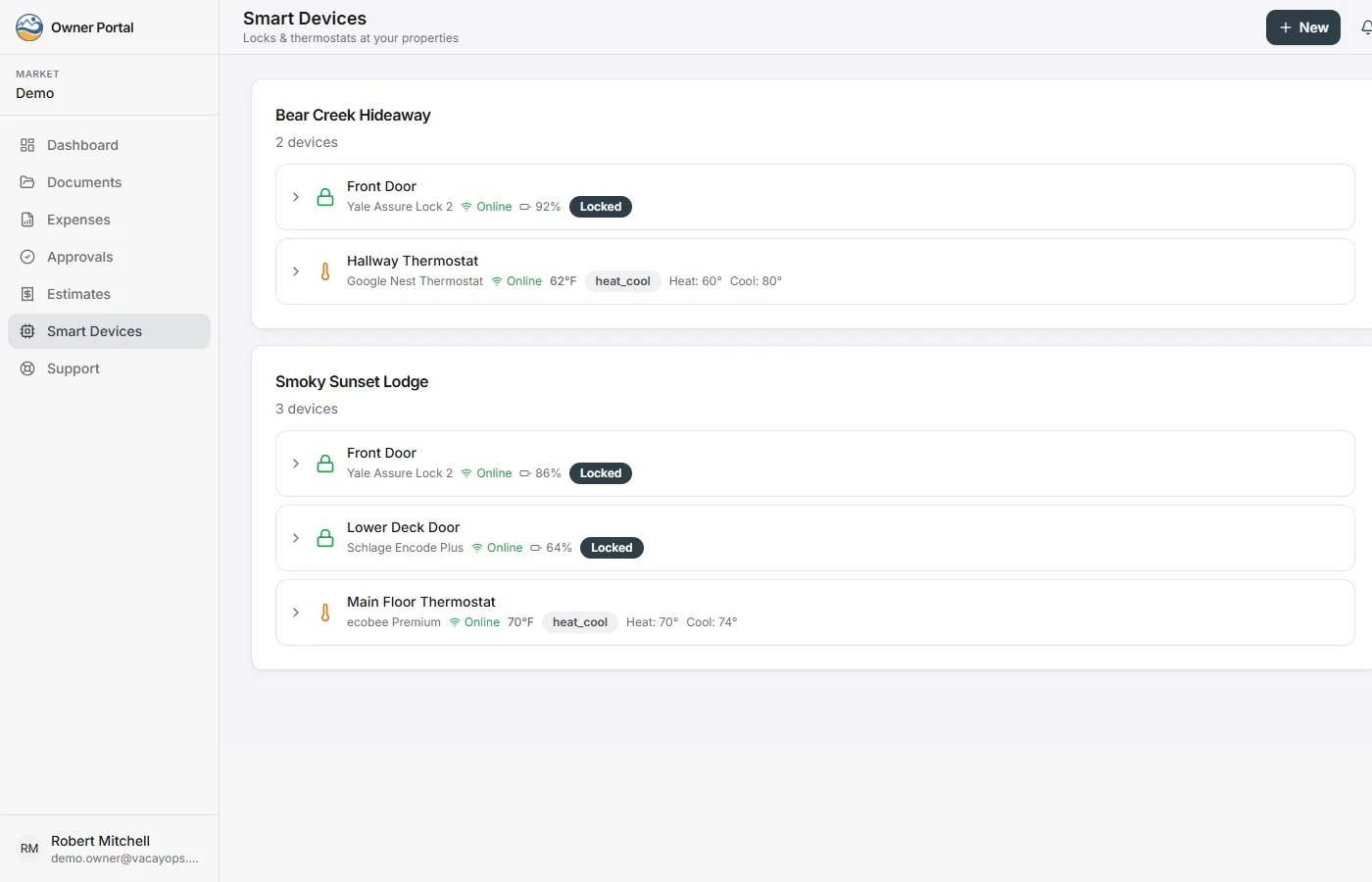
How smart lock and thermostat automation works
Connect once. After that, the reservation calendar runs the doors and the temperature.
- 1
Connect your device accounts
From Settings → Smart Devices, sign in to each lock or thermostat brand’s account through Seam’s secure connect window. Your devices sync into VacayOps with their battery level and online status.
- 2
Assign each device to a property
Put every lock and thermostat on its property from that property’s Smart Devices tab. A property with two doors gets the same guest PIN on both.
- 3
Reservations create the codes
As check-in approaches — four hours ahead by default, on the lead time you set — VacayOps creates a PIN for that stay, named to the guest and dates. The guest portal shows it as the door code.
- 4
Thermostats follow the calendar
Comfort settings go in ahead of arrival (two hours by default) and energy-saving settings at checkout or the moment a reservation is cancelled.
- 5
Codes end on their own, and every step is logged
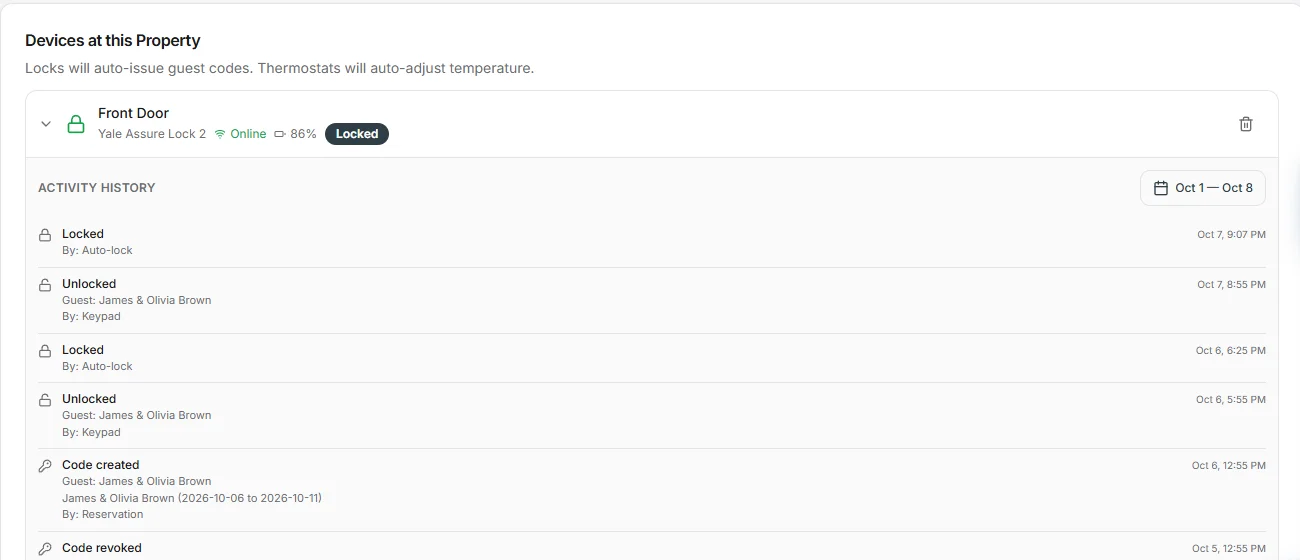
Each code expires after checkout on your trail time, an hour by default, and a cancellation revokes it straight away. Code changes, locks, unlocks and temperature changes all land in the activity log.
A code per reservation. Zero code reuse.
Access isn't a bolt-on integration — it's a side effect of the booking. Every code is time-bound to the stay and every action is logged.
- Unique PIN created per reservation, named to the guest and stay dates, delivered through the guest portal
- Works for every booking source — your direct site, your connected channels, or manual entry
- Lead and trail windows you control — active before check-in, revoked after checkout by your rules
- Cancellation kills the code the moment the reservation goes inactive
- Multi-lock properties get the same PIN on every door automatically
Stop heating empty houses
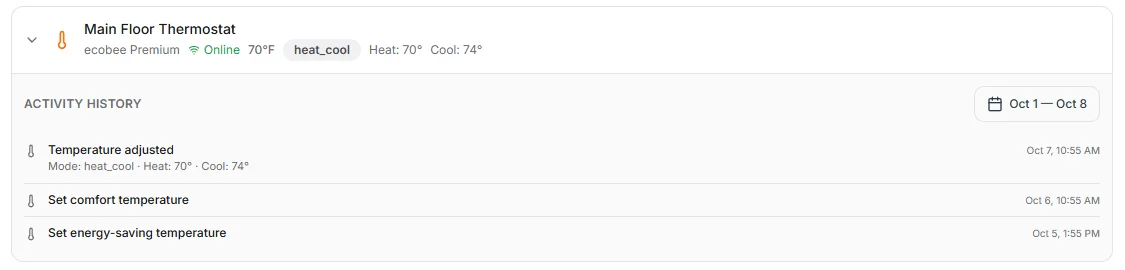
Thermostats follow the reservation calendar: comfort setpoints ahead of arrival, energy-saving setbacks the moment the stay ends — with heat and cool setpoints you define once per account.
- Comfort temperature set automatically before guest arrival, on your lead time
- Energy-saving setback fires at checkout and on cancellation
- Dual heat/cool setpoints per mode — your defaults, tenant-wide
- A real-time trigger plus an hourly safety net, so a missed event never strands a setting
Devices that feed the rest of the platform
Because devices, tasks, reservations, and guest profiles share one data model, the handoffs between them just happen here.
- Task assignees get temporary door codes scoped to the task window — the cleaner can get in during the clean, not after
- Guest WiFi splash pages capture emails into guest profiles, tagged and targetable by your marketing audiences
- Owners see their devices and a redacted activity history in the owner portal — PINs never exposed
Everything device management should include
Device software is in the base rate; connected devices are $5/device/month — no hub purchase, no connector subscriptions, no standalone platform bill.
Staff door codes
Persistent codes for housekeepers, techs, and inspectors — always-on or scheduled to business hours, per property.
Task-window vendor codes
Temporary codes tied to a task, active only from its start time to its end time on the scheduled date.
Remote lock & unlock
Lock or unlock any door from the property page — no drive-out, no lockbox scramble.
Device health
Battery levels, online/offline status, and code sync state stream in from device events in real time.
Audit-grade activity log
Every lock, unlock, code, and temperature change is logged with timestamp and outcome — filterable by device and date.
Bring your own hardware
Connects to the locks and thermostats you already own through open device APIs — no proprietary hub required.
Smart locks and thermostats: common questions
- Which smart locks work with VacayOps?
- VacayOps connects to smart locks through Seam. Lock accounts from Yale, August, Schlage, Kwikset, Nuki, igloohome, Lockly, TTLock, Wyze, Tedee, Akiles, dormakaba Oracode, KoreLock and Samsung SmartThings can be connected. Support varies by model, so check your exact model with us before you buy new hardware.
- Which smart thermostats work with VacayOps?
- Thermostat accounts from Google Nest, ecobee, Honeywell Resideo, First Alert and Sensi connect through Seam. Comfort and energy-saving heat and cool setpoints are set once for your account and applied around every stay.
- When does a guest’s door code start and stop working?
- By default the code works from four hours before check-in until an hour after checkout, and you can change both windows. If the reservation is cancelled, the code is revoked right away.
- Do I need a hub or new hardware?
- There is no VacayOps hub. Your locks and thermostats connect through the accounts you already use with their makers, so a lock that relies on its maker’s Wi-Fi bridge today keeps using it.
- What do smart devices cost?
- The device software is part of the base rate. Each connected device is $5/device/month on top of it, with no separate smart-home platform subscription.
Not another PMS. The vacation rental ecosystem.
One login. One bill. Unlimited users. Priced per property. No seat fees, no setup fee, no contract, and no booking fee on your direct site. 14-day free trial — no charge until it ends.