From booking to review without a staff touch
The moment a booking lands — from your direct site or any connected channel — the guest gets a secure portal link: agreement to sign, balance to pay, arrival time to pick, codes that unlock before check-in. You never send it. You never chase it.
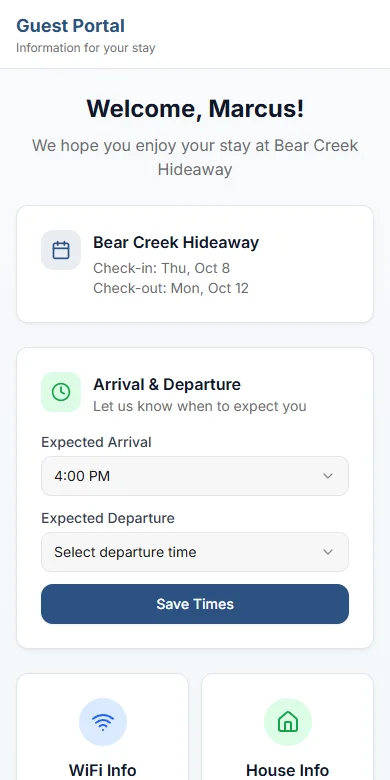
How the guest portal works
One link per reservation, from confirmation to checkout.
- 1
A booking confirms, the link goes out
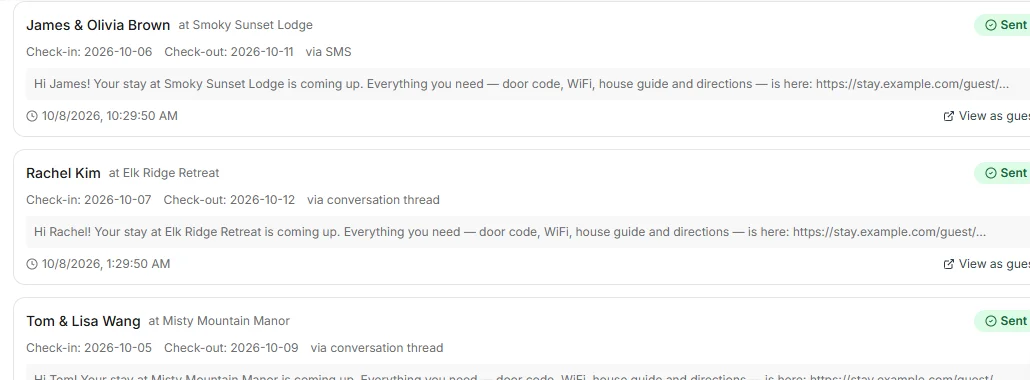
With auto-send on, a confirmed reservation sends the guest a secure portal link. Channel bookings with a message thread get it in that thread; everyone else gets it by email, or by text when there is no email.
- 2
The guest opens it on their phone
No app to install and no password. The portal shows the stay dates, any balance due with a payment link, the rental agreement to sign for direct and Vrbo bookings, and a picker for expected arrival and departure times.
- 3
Codes unlock 12 hours before check-in
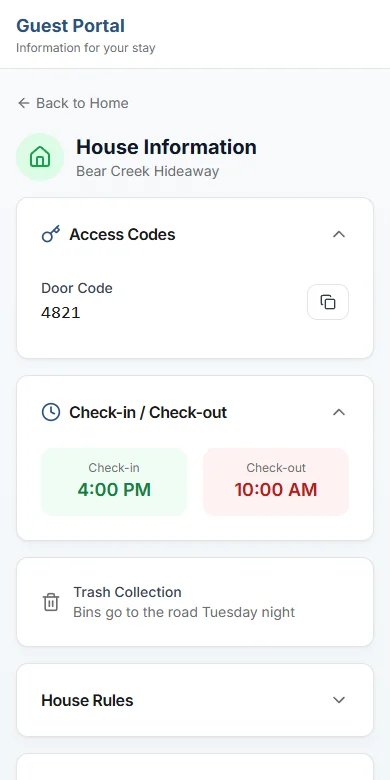
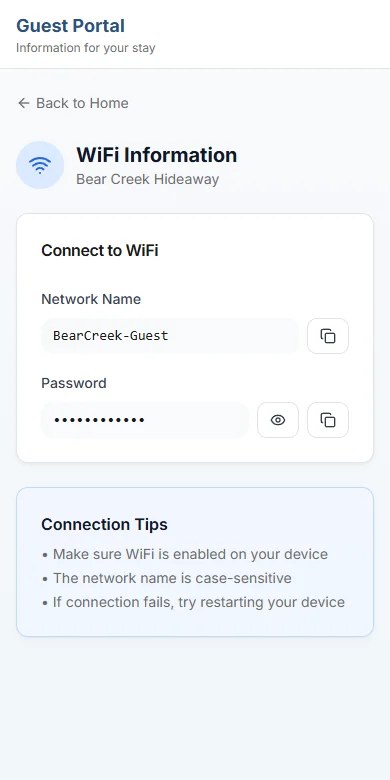
WiFi and access codes stay hidden until 12 hours before check-in: door, gate, lockbox, pool gate and alarm codes from the property record — or, with a connected smart lock, the PIN made for that reservation.
- 4
The stay runs through the same link
House information, an area guide and local events during the stay dates sit one tap away. If something breaks, the guest reports it with photos and it lands in your operations queue.
- 5
After checkout, feedback — then the link closes
The day after checkout a post-stay survey goes out. The portal link stops working at the end of the day after checkout.
The portal sends itself
Portal links live on the same data model as your reservations. A confirmed booking triggers the send; a cancellation revokes access. No guidebook app subscription, no Zapier hop, no login for the guest — just a tokenized link.
- A confirmed booking auto-sends a secure portal link through the guest conversation thread
- WiFi and access codes stay time-gated until 12 hours before check-in
- Guests pick expected arrival and departure times — saved straight onto the reservation your housekeeping schedule reads
- Cancellation revokes portal access automatically
Signed and paid before they arrive
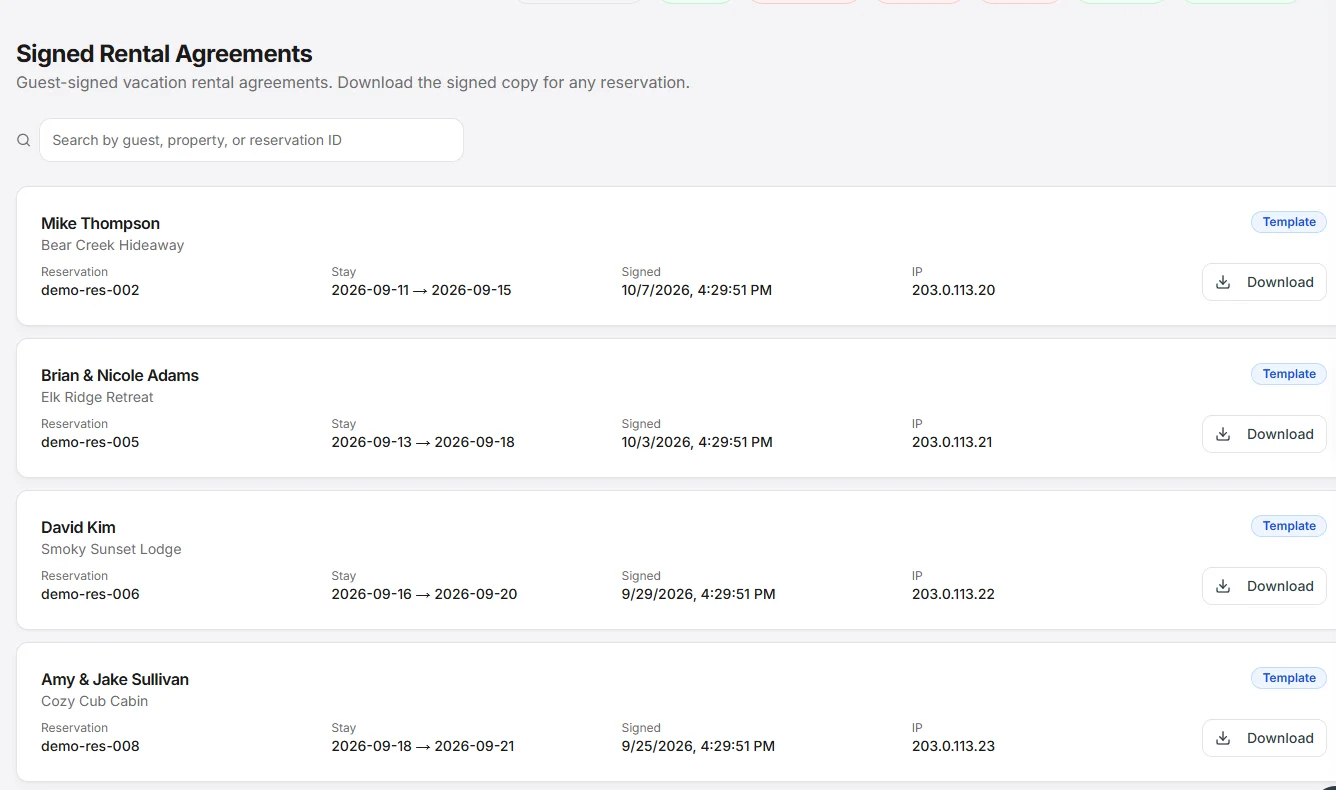
The e-sign tool and the payment-chasing spreadsheet collapse into the portal. Direct bookings — and bookings from channels that don't run their own agreement flow — get the rental agreement in-portal: typed name, drawn signature, timestamped.
- Guests review and e-sign the rental agreement inside the portal — no separate e-sign subscription
- A daily job checks unpaid balances and sends reminders at your intervals — 30, 14, and 7 days before check-in by default
- Every reminder carries a payment link; the portal shows a payment-due card until the balance clears
- Shadow mode lets you dry-run reminders with full logging before going live
Hear about a bad stay while you can still fix it
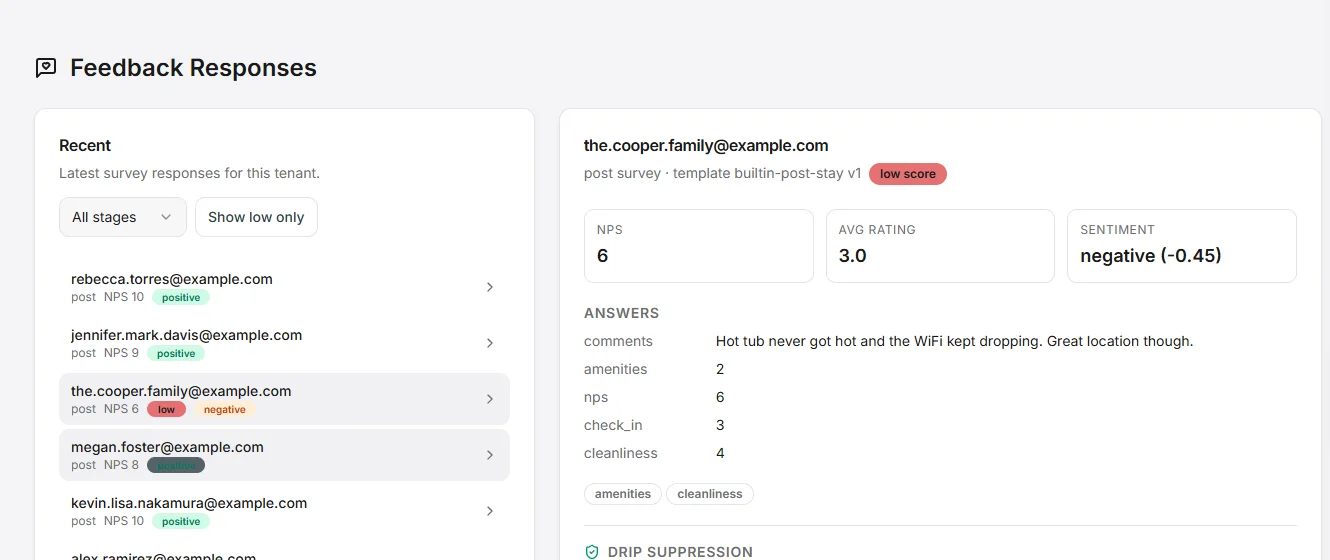
The day after checkout, a survey lands in the guest's inbox. NPS and free-text answers are sentiment-scored by AI and rolled into the guest profile — the same profile your marketing campaigns read.
- Post-stay surveys enqueue automatically the day after checkout, on tokenized links
- Free-text answers are AI sentiment-scored and rolled into the guest profile
- Low scores are flagged and that guest's follow-up emails pause, so you can reach out first
- You decide who hears from you next: pause or resume follow-ups for any guest
- Add your review link and every guest who finishes the survey is invited to leave a public review
- A guest-reported issue during the stay becomes a prioritized item in your operations queue — with photos
One link. The whole stay.
Every capability below is included in the base rate — no per-seat fees, no portal fees.
Auto-sent portal links
Confirmed bookings trigger the send; cancellations revoke access. Templated messages with guest, property, and date variables.
Rental agreement e-sign
In-portal review and signing with typed name and drawn signature — for direct bookings and channels without their own agreement flow.
Automated balance chasing
Daily unpaid-balance checks with reminders at configurable intervals, each carrying a payment link.
In-stay issue reporting
Guests report problems with photos from the portal — each lands in your operations queue, prioritized by category.
AI local events & area guide
The portal surfaces events happening near the property during the exact stay dates, plus house info and area guide.
Repeat-guest lifecycle
A second stay fires a loyalty email automatically. Mid-stay, win-back, seasonal, anniversary, and direct-booking follow-up campaigns run on schedule.
Guest portal: common questions
- What is a vacation rental guest portal?
- A guest portal is one private web page per reservation where the guest finds everything for the stay: dates, house information, WiFi, door codes, the rental agreement and any balance to pay. In VacayOps it is built from the reservation itself, so it sends on booking, updates with the stay and closes after checkout without anyone on your team touching it.
- Do guests need to download an app or create an account?
- No. Each guest gets a secure link that opens in their phone’s browser. There is no app to install and nothing to sign up for.
- When do guests see the door code and WiFi password?
- Twelve hours before check-in. Until then the portal shows the stay details, house rules and amenities with the codes held back, and a cancelled reservation loses access to the portal.
- Do I need smart locks to use the guest portal?
- No. Without smart locks the portal shows the door, gate, lockbox, pool gate and alarm codes saved on the property. With a lock connected through VacayOps smart devices, the door code shown is the PIN created for that reservation.
- How does the portal link reach guests who booked on a channel?
- When the booking has a message thread on its channel, the link is posted into that thread. Bookings without one get the link by email, or by text message when there is no email address.
Not another PMS. The vacation rental ecosystem.
One login. One bill. Unlimited users. Priced per property. No seat fees, no setup fee, no contract, and no booking fee on your direct site. 14-day free trial — no charge until it ends.